Blizzard Quote [source]
This BlizzCon®, add some epic artwork to your personal stash—and support a great cause in the process! Beginning Wednesday, November 4 through Friday, November 13, we’ll be hosting a special online BlizzCon Charity Auction via eBay, featuring original Blizzard art, unique memorabilia, and other cool collectibles from our games. You’ll have a chance to score some awesome new loot for your collection, and 100% of the proceeds will benefit Children’s Hospital of Orange County (CHOC Children’s).
For more information and to get a preview of the items you’ll be able to bid on, visit our new BlizzCon 2015 Charity Auction page—then make sure to come back when the Auction House opens on November 4.
 |
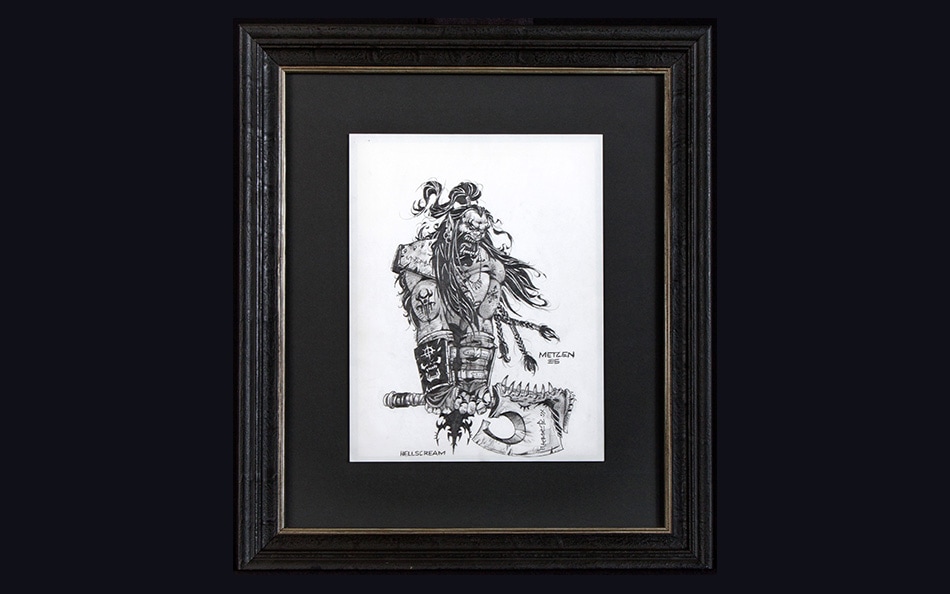 |
| World of Warcraft Dell XPS Laptop Signed by Ozzy Osbourne | Hellscream Sketch by Chris Metzen |

Giant Crimson Whelpling Plush
In order to participate in this year’s auction, you’ll need to set up an eBay account—head to www.ebay.com now to get a head start. If you already have an account, you may want to update your contact and payment information before the auction gets underway.
Blizzard Quote [source]
Fun, games, and wondrous sights—the most majestic, magical faire in Azeroth is making an unexpected appearance in Anaheim!
If you’re attending this year’s BlizzCon, set aside some time to visit Silas Darkmoon’s enigmatic travelling carnival. Silas and his crew are setting up a marvelous array of activities just for con-goers in Hall A of the convention center. There’ll be opportunities to meet with Blizzard developers and community managers at the Slaughtered Calf Inn and Community Amphitheater, booths to capture enchanting images of your adventuring party, chances to acquire loot and treasure, and more. Here’s what you’ll find once you pass beneath the Darkmoon eye. . . .
Slaughtered Calf Inn
Snag a seat, grab a drink, and hang out with the Diablo III development team at the most notorious tavern in New Tristram. You’ll also be able to play the latest build of Reaper of Souls on mysterious computational devices located around the inn. Read more on the Diablo III community site.
Community Amphitheatre
Enjoy a friendly chat with game developers from a variety of Blizzard games, meet Blizzard community managers, and interact with streamers and other familiar faces from around the community.
Pin Trading Booth
Track down Blizzard Collectible Pins around the convention, and then head to the Pin Trading Booth in the Darkmoon Faire to swap, trade, and complete your collection—more details coming soon.
Capsule Toy Depot
Try your luck at this popular returning attraction! Purchase a token, then plunk it into one the Faire gnomes’ marvelous machines for a random Blizzard capsule toy. Trade with fellow convention-goers to fill out your collection!
Adopt-a-Pet
The Pet Battle Masters of the Darkmoon Faire have set up a special shop for those seeking to bolster their real-life plushie pet collection. Head to this booth and adopt a fluffy, squishy, inanimate new friend.
BlizzCam 360
Summon your party for an extraordinary snapshot to commemorate your visit to the Faire. Leap into the air and strike a legendary pose surrounded by 360 degrees worth of cameras—then share the gravity-defying results with your friends.
Temporary Tattoos and Face Painting
What carnival would be complete without costumes? Represent your favorite faction, character, or game with Blizzard-themed tattoos and face painting.
Animated GIF Booth
The mystic Darkmoon mages have enchanted some S.E.L.F.I.E. cameras to produce mystical moving pictures! Snap a series of photos with your friends, and turn them into an animated GIF to share with the world.
Ignore the eyes that blink and stare, and head to Hall A to find the Faire!
Blizzard Quote [source]
We were asked some great questions at our Reddit Q&A on Tuesday, September 1st. In case you missed them and the answers provided by our team, we've included a recap below, complete with handy links to each topic of discussion for your reading convenience!
Table of Contents
Items Gems
Gems
Whimsybandit: Is a proper gem sink being considered, maybe via a cube recipe or whatnot? As it stands, gems are in high demand early into a Season and then they become more inflated than gold.
 Travis Day: We have been internally discussing ideas to provide appealing gem sinks in the game in an upcoming patch. No details to announce yet though.
jcooper1876: Diablo III has been quite the ride. Since its release, we've had a new act, a new class, a new play mode, new character skills, new sets, changes to old sets, new bounties, new rifts, a new rift type, new gems, Seasons, new difficulties... everything has changed, except for one thing: the ONLY option for a weapon socket is an emerald. Will this ever change?
John Yang: I am hugely in favor of this. In general, I love balance in all things because having more than one choice is good.
For the case of gems in weapons, buffing Amethyst is a great idea, because the benefit it provides (+Life on Hit) is a completely different choice from the current leading gem: Emerald = Critical Hit Damage. Buffing Diamonds (+Elite damage) and Rubies (+Flat damage) is slightly less interesting because it will probably come down to one mathematically correct answer depending on the weapon and build. Lastly, our goal is to have Topaz be the gem to use for the Thorns of the Invoker set.

Class Sets
OtterAbsurdity: Now that each class has a couple of decent sets, can we get a small balance pass on them to even them out? I love the playstyle of full 6pc Delsere and Marauders, but I feel like I'm gimping my friends by using them and it's frustrating.
Travis Day: Set and Legendary item tuning continues to be an ongoing effort. Each patch we help bring more playstyles closer in line with each other and this will continue to be our goal moving forward.
TyphoonCane: Currently there are a few classes that can mix sets getting six pieces of one set and four pieces of another, is this something you want to see more of or is it something that you'd rather not happen more often?
John Yang: We gave the five legacy class sets a seventh piece because they all included a weapon, which is a very powerful item slot as far as legendary powers go. We didn't feel that adding a seventh piece was needed for the other six piece sets.
goykasi: Is anything being done about the Arachyr 4pc bonus? All feedback and complaints on PTR were seemingly ignored.
John Yang: I've heard all of this feedback and I completely agree. I also dislike the fact that the Toad of Hugeness swallows monsters completely, making them unable to take damage for a short period of time. I want to change this in the next patch to be a simple Stun in the future, but I wanted to couple this change with some animation adjustments to the Toad to match. At the time this feedback came in during 2.3 PTR, it was a little too late to make the art changes in time for that patch.
Nazgren: Any chance for a "close-quarters" DH build? They have plenty of knife based skills.
Kevin Martens: That would be awesome! Geez, John Yang, why don't you do something about that?
John Yang: Done! The Shadow's Mantle set is the redesign that I'm the most excited about for 2.4 so far. The idea of a melee-weapon oriented build that doesn't involve bows / xbows has always been in the back of my mind. Here's what it currently looks like:
2pc - While equipped with a melee weapon, all damage is increased by 1000%.
4pc - Shadow Power gains all runes and lasts forever.
6pc - Impale deals 30000% weapon damage to the first enemy it hits.
The idea is that the set is extremely strong on single-target damage, but weak on AoE. To help with that, a new dagger will have the power "Every second, the damage of your next Fan of Knives is increased by 250-300%." To help with movement, a pair of bracers has the power: "After using Impale, Vault costs no resource for 2 seconds." That item will allow you to Vault into position to Impale the high-value targets.
Additionally, we're also allowing Demon Hunters to use melee weapons with quivers because the fantasy of this quick-moving assassin build is about speed, not walking around with a shield ;)
OwenLantos: With so many newer and stronger class sets, some of the old class sets (e.g. Firebird's Finery, Jade Harvester) became extremely weak. Are there any plans to rework these sets in the near future? Possibly in 2.4? I really like Firebird Wizard, but it is just so underwhelming right now...
John Yang: Yes, 100%, absolutely. Internally, we have already updated, revamped, or redesigned completely many of the six piece sets that are currently not seeing use. The ones that are already done include Shadow's Mantle, Might of the Earth, Jade Harvester, Firebird's Finery, Armor of Akkhan, Thorns of the Invoker, and Embodiment of the Marauder. Monkey King’s Garb and Inna's Mantra are also being worked on. The goal is to bring all of these sets up to the power level of the current top 2.3 sets/builds.
You all will see these updates in the near future in patch 2.4.0
Kanai's Cube
Iwillforgethisacc: I have two questions regarding Kanai's Cube: When I reroll a Legendary item, can it roll Ancient? And if I use a Ramaladni's Gift and then reroll it, will the socket from the gift be lost?
Travis Day: When you use the reforge recipe the result can be Ancient. It's important to note that the chance to be Ancient is unaffected by whether or not you put an Ancient in. Effectively you are destroying and creating a completely new version of the item which means it will always have the same chance to come out as Ancient regardless of what went in. This also means that if you used a gift on the item that will not be on the new item.
aeclasik: Can we see more / improved Kanai recipes down the road? Such as removing the nine gem limit, or reforging Ancients?
Travis Day: The cube has been incredibly well received and we are very happy with it. We plan on adding more recipes over time, but there are no plans to change any of the existing recipes as they each have a very unique purpose that we are happy with.
OBrien: Is the Hope of Cain recipe about as powerful as you guys intended? Did you mean to put it in in order to make Torment 10 rift farming competitive with Greater Rift farming?
Travis Day: The goal of Hope of Cain was both to give players more control over what items they were pursuing and also to ensure that Deaths Breath would always be a desirable material. It's doing both of these things quite well and we are very happy with it.
CarbonatedFalcon: Any chance that the reforge legendary recipe "Law of Kulle" gets re-costed? As it stands, it's kind of ridiculously priced. Even if it is powerful.
Travis Day: Different recipes are intended for different audiences, and this recipe in particular is intended for the most avid players. It's primary purpose is to provide players who are only looking for incredibly rare ancient upgrades a very expensive way to do that. It's very expensive, but it is effectively generating a brand new item of the Legendary of your choice with the standard chance to be Ancient.
Syntaire: The ability to change one Set item into another with the cube is great, but it only works on sets with three or more pieces. I understand that this was partially in response to the relatively cheap cost of the recipe being exploited to get perfect rolls on various items. However, because of this limitation I've been attempting to get Shenlong's Fist of Legend with the upgrade rare recipe for several days and only have about six or seven Relentless Assaults to show for it. It's getting a bit demoralizing.
Is there any possibility of a new recipe that works specifically for the two piece sets? Perhaps something like three of the same piece and some Forgotten Souls / Death's Breaths will give the other piece?
Travis Day: The intent of this recipe was to provide players a way to complete their class sets if RNG was being unkind to them. If you keep getting duplicate pieces instead of that elusive sixth piece this recipe is meant to give you a way to solve that.
We removed the ability to do small sets because the intent of this recipe was not "create Focus" "create Restraint." Also, players were using this recipe to make class sets Ancient. In both of those cases the question we had to answer was "Do we cost it around what they are using it for, or do we restrict it to the purpose it was designed for?"
We decided that ensuring the recipe fulfilled its design goal, allowing players to finish class Sets, was more important to us than providing yet another way to make Ancient items or generate specific items because both of those already have recipes designed explicitly to that end.
whimsybandit: Can we get a way to craft Ramalandi's Gift via the cube? Even if its hyper expensive...
Travis Day: This is a popular request, but we have no plan to do anything of this sort. Ramaladni's Gift is a very useful item and also completely unique in what it does; it's great that players want them and I would prefer to have more things like the gift that are totally unique and exciting to find.
Larklen: Are there any hidden recipes with the Cube that have yet to be discovered?
Kevin Martens: No comment. (This is technically a comment but does it mean anything about recipes? Does it???)
Sargon16: What are your thoughts on the current situation with Death's Breath? This one material is the sole limiting factor in progress, acquiring more has become the most important thing we do, and our primary goal in farming.
Travis Day: We are mostly happy with the current state of Death's Breath. The goal of any resource is that it is valuable, we added a lot of recipes to the cube that are meant to serve as sinks for different materials. Before the addition of the cube people largely considered them useless, after we added recipes to make them appealing people say they want more than they have, my response to this is usually "Awesome!"
IdahoSciGuy: Hey guys! Thanks for this Q&A. This patch has been great, a real blast. Especially with the introduction of Kanai and Kanai's Cube. It was incredible going through the Ruins of Sescheron in search of the cube, and coming upon a lore book that speaks of this legendary warrior. Then, I would get chills realizing that this was based on a real person, and their memory. My question is, what was the character creation process like with Kanai, and how were you affected during Kanai's creation? Thanks again for an amazing patch!
Matthew Berger: Thanks for the kind words.
The most important thing was to make sure that we were paying homage to him. For example we didn't want players to click on Kanai while he was sitting on the throne, that didn't feel right to us.
There is also a hidden event surrounding Kanai that is based on what month it is. That event really was a way for us to play one last time with him, to have him adventure with us again.
As to how it affected people on the team: there are no words I can use that would properly convey how important this was to us. The hole this has left in our team is one that cannot be filled and shouldn't be filled.
Thank you for the kind question.
TricksterClown: Will cubed Legendaries from Season 4 roll over to non-season once it's over?
Roger Hughston: Yes.
Davlok: The only Kanai cube missing is "Upgrade Legendary to Ancient". Are there any plans to add that? Obviously it should be a substantial cost - like 5x Ramaladni’s Gifts + 50 Forgotten Souls. Either that or any thoughts about having an Auction House return for non-season only?
Travis Day: There is no plan to add an "Upgrade to ancient" recipe. Ancient items were added to provide players long term goals to pursue while allowing the drop rates to be generous enough for the average Seasonal player to have a great experience.
TMSquared: Kanai's Cube has introduced a fascinating branch of gameplay: legendary affix "combos". Specifically, the interaction between Madstone, Uliana's six piece bonus, and Gungdo Gear sets the mind ablaze with possibility. It reads and plays beautifully, and was a major incentive for me to dig through the game's item trove to find additional "combo" pieces. Is this a favored design facet, and will we see additional Legendary powers that interact so well together?
Travis Day: The cube has certainly opened up more build possibilities than before which is really exciting. Our goal is to continue introducing items that will expand on or enable builds.
Crafted Items
welshwizardd: Why has the number of lower level class specific items (Armor & 2-Handed Weapons) the Blacksmith can forge been reduced so drastically? The only things that seem to have escaped the cull are the one handed weapons and off-hand items for ranged classes [DH/WD/Wiz].
Matthew Berger: We thought that there was too much overlap and redundancy in the crafting choices and we wanted to make each choice more meaningful and be clearer to the player. We also wanted certain weapon and armor types to be only discoverable in the world.
Itarie: Why did you reintroduce the crafting problems you removed from the game once with the Act-specific crafting materials?
Travis Day: Targeted materials serve a great purpose in giving players more direct control over their ability to earn or attain something they want. The reason we removed them initially wasn't because we didn't like them, it was because the way in which they were implemented was causing players to do un-fun things (like flipping a game repeatedly to kill one monster). We are very happy with the new version of those materials and contribute to giving players more diverse activities for distinct rewards. If you want to upgrade your gems run Greater Rifts; if you want Deaths Breath, normal rifts are a great source; if you want to extract powers via the cube, run bounties.
Gold
aeclasik: Any plans for gold sink? I'm twenty hours into my Season 4 character with 600 million gold...
Travis Day: We want gold to be a more valuable resource to players and have some designs in the works to this end in our next patch.
Wyatt Cheng: So the tricky thing about a gold sink is that we don't want to add a gold sink that causes people to feel like they need to drop everything to farm gold for hours on end. A good gold sink will pull gold from the economy without making you feel like you need to completely change what you're doing and spend hours upon hours doing it.
Thorns Affix
Thrashlock: Any plans on Thorns? The latest scaling buff was nice, but it's still lacking far behind any other sets. Now that the Thorns of the Invoker set only drops for Crusader, I expect there to be more changes to Thorns in the future.
Travis Day: Thorns is something we have iterated on in the past and continue to evaluate. Patch 2.3.0 increased the damage bonus given from primary stats to its full value which makes it slightly better. Our current plan is to fully embrace the Thorns theme of the Invoker set and we are working on a revamp for the set in Patch 2.4.0.
Area Damage
Mase123y: What are the updates going on with Area Damage? Last patch, it was said from developers it may/may not get a full rework. Currently, it does not function 100% as the tooltip states. It is specifically disregarding certain damage bonuses which nerfs some classes more than others. The PTR fixed a few of these issues, but then broke them again in the last week of the PTR. What was going on internally that last week that reverted these fixes?
John Yang: The functional issues with Area Damage are composed of several different, but related issues.
In patch 2.3, we fixed most of the issues, e.g. Area Damage working with Wrath of the Berserker - Insanity and similar skills and items. However, a few issues remain (which I believe include Area Damage's interaction with Delsere's and Bracers of the First Men). These remaining issues were deemed too risky from a code standpoint to hotfix because the code touches the order that damage bonuses are calculated and applied, and it was causing other bugs with Elemental Damage bonuses and damage amplification debuffs. We plan to fix all remaining issues in the next major content patch when we have PTR time. Sorry that it's taking so long. We appreciate your patience.
Boss Battles
RandomPrecision1: So it seems there are some game files where Malthael absorbs the power of Mephisto and Baal, as well as Diablo. For instance, there are sound files and particle effects for Baal and Mephisto attacks.

Are you able to tell us anything about this alternate version of the Malthael fight that didn't come to be? That is, what would've happened, and/or why didn't that version make the final cut? I think it'd be fun to see our old pals Mephisto and Baal outside of the Prime Evil again - it's been a while. :)
Matthew Berger: One of the ideas we experimented with for the Malthael fight was that he would randomly use powers based on Mephisto, Baal and Diablo.
We tried this out but we felt that the flow of the fight didn't work as well and we ended up focusing on the fight that you know now.
Attack Speed
TyphoonCane: Is there any reason that DoTs don't take into account attack speed at this point? It seems unreasonable that your damage over time skills are actually hurt by choosing a faster attacking weapon and basically rules out using skills like Blizzard and Locust Swarm if not using a two-hander.
Wyatt Cheng: This is intentional. We don't feel that Attack Speed needs to be the best stat in all situations. Using a slower weapon that hits hard is intended to be an alternative.
Also note that when it comes to casting a spell like Haunt, Attack Speed does let you cast Haunts more often - so allowing Haunt to also benefit from Attack Speed rolled into its damage would essentially amount to double-dipping.
Paragon System
deadyahaje: Any plans to change some of the Paragon stats? For example, Gold Find or things like Maximum Mana are kind of worthless in my opinion.
John Yang: Maximum max resource is useful for Hammer of the Ancients build! To answer your question, though, we have no plans to change some of the Paragon stats.
Class Balance
akaimba: What are your thoughts on the current build diversity?
John Yang: I will never be happy with build diversity until every build is completely equal in power level for both the top players and average players. This is a huge goal of ours every patch. That said, it's really really hard to achieve perfect balance because we don't have a large team of the top players testing every build every patch for a long period of time.
I will say that I think it's improved in Patch 2.3.0. We saw Barbarians get a Hammer of the Ancients and Seismic Slam + Immortal King build to compete with the top Whirlwind builds. Whirlwind + Rend is also now a thing (again). Witch Doctors saw Helltooth builds perform near equal to Carnevil builds. Monks now have a generator build and a Uliana's build. If we do our jobs right, this trend will continue.
jiminee: Right now, the Monks, and Witch Doctors are mostly sought after for groups since they have the capability to tank. As a person that mains Demon Hunter, I'm a bit jealous that these classes have the capability to switch between having a DPS build and a tank build. Is there any chance to relook at the tanking mechanic in such a way that it would be feasible to have a tank build for all classes?
John Yang: We don't aim to necessarily have a tanking build for all classes and have no plans to redo the tanking mechanic, but we definitely want all classes to be viable and desired in groups. An example is the addition of Threatening Shout - Falter and the change to Pride of Cassius to work for group members in 2.3.
Demon Hunters may be on the low side of group utility right now. In patch 2.2.0, that was okay because Slowball pumped out more damage than any other class, but with the removal of permanent Crowd Control that changed. I'll keep an eye on Demon Hunter group utility and see if any changes are needed and can be made for the future.
Hardcore
Arillious: Any chance we will be able to retire non-Hardcore characters and save them in something like the Hall of Fallen heroes? I hate deleting countless hours just to make a spot for a new Seasonal character.
Wyatt Cheng: I feel your pain. We have some ideas to alleviate some of the agony with deleting a character just to participate in a Season. No promises.
Group Experience
Oranite: Right now the gap in efficiency between solo play and group play is quite large. Does your team have any plans to not necessary completely close the gap, but at least narrow it somewhat?
Wyatt Cheng: I realize this is a hot topic right now in the community and I know a lot of people are eager to understand how we determine the right rewards for single player versus multiplayer game modes. I’d like to go in depth on this question especially.
For us it is an issue than the efficiency of groups who are stacking +XP% don’t get to wear their awesome, face-melting gear. The game should be about slaughtering monsters to get rewarded with epic loot. It’s a lot less fun when you don’t get to do the slaughtering.
Exacerbating the situation isn't experience farming itself, it’s how different the activity is from other activities in the game. I was listening to the State of Sanctuary podcast, and one of the hosts actually mentioned this – in Patch 2.1.0, experience farming wasn't considered as big a deal, not only because the rate of XP gain wasn't as large, but more importantly, XP was a natural by-product of trying to get Legendary items, Blood Shards, or generally melting faces.
Today, the activity that maximizes your experience per hour is no longer the same as the one that maximizes Blood Shards and Legendaries with a powerful build. Because the activities aren’t the same, it forces players to choose between playing the core game as it was designed and wearing +%XP gear in a specifically calibrated environment. We agree that these activities need to be re-aligned again, and that’s what we’re re-examining.
Some people have also asked if our intent in changing experience sharing in Patch 2.3.0 was to better balance multiplayer rewards. Functionally speaking though, there isn’t a difference before and after the patch. Players can still wear the exact same amount of bonus XP gear and perform about as well in Greater Rifts. The difference is that before only two people would be getting all the benefit. How the rewards are split is a separate topic from whether XP gear provides too much benefit.
Let’s talk philosophy. We want people to play together. I think everybody understands that groups should be better than solo, but there’s debate about how much that difference should be. If I’m playing by myself and then a friend joins me, I should be a little bit better off, right?
The issue is that this is only true when you and your friend are exactly the same power level. Realistically, in Diablo III, the power level of players varies widely. You may be in full Ancient gear with your six-piece set bonuses and all the appropriate complementary Legendaries while your friend only has their four-piece bonus and a non-ancient weapon. Is it okay for your friend to join your game and your experience to be worse?
We took a long look at the way the game has evolved over the last three years and made a judgment call: as much as possible, we want a friend joining your game to make your experience better, not worse. People shouldn’t feel they need to inspect you when you join a public game and your friend that stopped playing for two months shouldn’t feel like a burden for wanting to play with you. Generally, you should prefer to have company in your game than not.
Then there’s the suggestion that we should remove the 30% bonus to experience gain in multiplayer. It comes from a well-intentioned place. However, once you examine all the sources of advantages in multiplayer groups, that 30% experience bonus is the least significant. It’s easy to pay attention to because it's the most visible of the multiplayer bonuses, so it’s also perceived as the most advantageous.
Here are the main advantages to playing multiplayer and farming experience:
- Adding an extra person increases potential damage up to 100% or more, but monster health only increases by 50%. Similarly, in a four-player game, monster health doesn’t scale to four times the amount in solo; it only goes up 2.5 times the amount. This is clearly a greater benefit than 30% experience.
- Another source of advantage for groups is skill synergy. When groups are synergizing their group buffs and enemy debuffs to their maximum, the advantage provided blows the 30% experience bonus out of the water.
- Finally, another source of advantage for farming XP is being able to have some people in XP% gear. As noted previously, the problem here isn't that the XP% is averaged, it's that the XP% gear has such a positive effect at all. The fact that it's averaged now just means everybody benefits, which is better than only the people wearing the gear benefitting (despite everybody contributing). It also removes the awkwardness of arguing over who gets to wear the XP gear.
If you feel that XP% gear shouldn't be this good in the first place (regardless of whether you’re in a group), then that's fair. My long explanation is to explain why we are happy with the 30% bonus in groups, but we are examining the other three major contributors to see what we can do there to shrink the gap between solo and group play while still keeping group play better - even when your under-geared friend joins.
Elite Difficulty
drunii: Do you have any plans to scale the health of Elite enemies compared to Champions? It's so much easier to kill a blue pack (Champions) than a yellow one (Elites).
Kevin Martens: It is frequently but not always true that blue packs are harder than yellows. We don't intend to do a full pass on equalizing their health as we are fine with it this way and the affixes or particular monster combinations have given it enough variety.
Art
DogterSmok: What is your stand on the 'feel' or atmosphere of the game as opposed to older Diablo games? I hear a lot of critics saying that Diablo 3 feels more 'epic' or Warcraft-ish than its gothic, dark predecessors. Do you agree? Is this how you meant the game to be?
Richie Marella: With Reaper of Souls, I think we definitely brought up the gothic atmosphere of the game. Adding epic expansive areas to the game like Battlefields of Eternity, in addition to small cramped dark dungeons, gives it a nice variety. We don't want every area in the game to have the exact same tone.
Nadiar: /u/BlizzRichieMarella what has been your favorite model to work on in Diablo?
Richie Marella: My favorite model to work on is the Unhallowed Essence set for the Demon Hunter. I play a lot of this class, and it was really fun and satisfying to complete the set I worked on.
Lore
Angzt: Does the Leoric family have any specific affinity to being "possessed" by Diablo? So far, both of King Leoric's sons and his granddaughter had to suffer through that. Does Diablo just like royal blood?
Edit: Also, does Leoric have any more descendants we should look out for in the future? ;)
Brian Kindregan: Diablo initially possessed Leoric because he could do the most damage by possessing a king. All of the misery that has haunted the family since then is the inevitable result of that initial possession. Just a very unlucky family.
As to other family members waiting in the wings… what an interesting idea!
jcooper1876: What is going down in the Skovos Isles? Lorath and Tyrael are always going on about it. Is this a hint at upcoming new content?
Brian Kindregan: Sanctuary is full of deadly surprises, so the New Horadrim that Tyrael is sending out to help humanity have high rates of fatality. Skovos seems to be a particularly rough place to get assigned.
But many other parts of Sanctuary are equally dangerous, so Skovos is just the topic at hand between Lorath and Tryael.
halftankofgas: When are you going to reveal what we all already know -- that Tyrael is the real villain of the series!?
Brian Kindregan: Sssshhhhh!
Greed's Realm
halftankofgas: The designers who worked on Greed's realm did an absolutely amazing job. I think the feeling of moving up and down vertically adds some really cool vibes to the area.
Is there any chance we'll see more tile sets and zones like this in future content patches?
Richie Marella: Greed's Realm was one of my favorite zones to work on. The verticality came from wanting to show this vast treasure realm with mountains of gold and riches to really support the theme of the zone. It also worked out nicely for gameplay, giving it a nice feel of going up and down. The art team loves giving a lot of verticality to different parts of the game because it shows a lot of what the theme of the area is all about. If the theme of any future zones we are working on calls for it, then we would love to add it. I’m happy you noticed it.
Rifts
valondon: Will we see the Ruins of Sescheron appear in Rift maps?
Matthew Berger: Yes, you will.
CrazedRavings: Would you ever consider making it so the deeper you go in Rifts the higher chance there is of coming accross an encounter (whether it be goblins, Key Wardens, or something new) to give players a reason to stay in once the guardian is dead?
Matthew Berger: It's an interesting idea. I don't know that I would do it exactly like that, however there is something cool there.
Damage Displays
DoubleTwist_89: Have you considered or are you considering a "stat squish" at some point? It would make the numbers a lot more manageable for players, and I'm certain smaller numbers wouldn't hurt server performance.
Kevin Martens: We aren’t currently planning a stat squish or a change to damage numbers display, though both have been discussed. This is something that we monitor.
Roger Hughston: It is also worth saying that most of our damage and health calculations on the server are done in floating point numbers. Computationally, the expense between large and small floats is the same, and most of the expense on the server is usually the raw quantity of the calculations we are trying to do rather than values stored in the floats themselves.
Buff Bar
Amatulos: Certain builds require keeping an eye on your buffs to maximize your damage (for example Tal Rasha’s Elements, and builds using Taeguk or Convention of Elements). However, when playing in a party, these buffs can disappear once you get more than eight buffs. Is it possible to allow players to choose which buffs they always want to see, so these buffs are easier to track?Bottom of Form
Wyatt Cheng: The inability to see important buffs that affect your moment-to-moment gameplay is something we want to address.
We have been avoiding simply adding more buffs because having a large number of buffs on the screen is not only visually unappealing, but it can be just as frustrating to locate the buff that you care about in a sea of buffs.
I view buffs broadly in 3 categories:
Category 1: "Always On" buffs. Really obvious ones are the Multiplayer buff, or when there is a Community event in place. These buffs are great to know, but they take up one of your precious buff slots. Monk Mantras are a slightly less "always" version of this. If I'm in a party with a monk wearing Inna's Mantra, suddenly all players in the party have half of their buff slots tied up.
Category 2: "Reassuring buffs". These are buffs that you want to know they are on you, but they don't affect your moment to moment gameplay. A good example of this would be Storm Armor on the Wizard, or Frenzy skill stacks on a Barbarian. Many times you want to know the skill is working correctly, but you aren't checking on the buff in the heat of combat.
Category 3: "Moment-to-moment buffs". These are the buffs that actually affect you moment-to-moment and are usually the source of complaints. Focus and Restraint are a great example here.
Overall our goal is to find alternate ways to communicate Category 1 and Category 2 buffs so that Category 3 buffs can take center stage on the buff bar.
We don't have anything to share at this time, but I assure you that with the introduction of all the extra powers players have from Kanai's Cube, combined with new Legendary items that make you powerful but require some degree of buff tracking (builds that use Vyr's Amazing Arcana or Chantodo's Resolve come to mind) the desire to address this is greater than ever.
Kevin Martens: So Wyatt just answered re: how we categorize buffs and some possible work on how we display them. I think it is interesting to note, from a behind the scenes development point of view, that sometimes issues like this rise in priority as unintended consequences for otherwise highly desired features. In this case, the “too many buffs to display” issue has been a littlemore class or situation specific (Monk auras, anyone?) but now that Kanai’s Cube is out, people can almost at will choose a wider variety of items with buffs on them, which meant addressing the display problem rose higher on the priority list vs. new feature development. Diablo development works very much in concert with player feedback, as we have said before, but the priorities are often heavily influenced by our piling on of ever-more Legendary powers and all of the ripples of work that come from that. Hope this is interesting for you to know!
Improved Tooltips
TyphoonCane: Would you consider a quality of life change for showing resource cost and cooldowns for a given skill in the skill tooltips? I'm suggesting specifically for skills with cooldowns to be grayed out with a number counting down to represent that remaining cooldown, and for skills requiring resource to list in their tooltips the resource per cast.
Wyatt Cheng: It's a good idea and on the wishlist, but unfortunately we currently consider it lower priority than other UI initiatives such as improving the buff bar. I wish I had a more positive answer for you - sorry! :(
jiminee: Is it possible to add in the tooltip, or add any sort of indicator, to show that a legendary item has its power already extracted in the cube?
Kevin Martens: Thanks, jiminee - that would be useful and we will look at it.
Auto Pickup
notyouagain2: Hi. Do you think it would be possible to add an option to auto pick up crafting mats in the future?
Wyatt Cheng: We want to retain a sense that the crafting mats are real items. We have found that when something becomes auto-pickup, you often don't even notice when you get it or not. We added vacuum pickup to alleviate how much clicking you need to pick everything up (particularly after killing Gelatinous Sires!).
Helltooth Harness
puggi: Is there any chance you all will fix the Witch Doctor lagging in Greater Rifts this season?
John Yang: The Helltooth lag is composed of several different factors. We’ve sent hotfixes to optimize and address two of the factors – namely the Helltooth two-piece bonus and Acid Cloud, which reports indicate has improved the situation. There are more unaddressed factors, most notably the skill Wall of Death. We plan to optimize this skill in the near future.
I do want to make it clear we will make sure the power level of the build isn’t reduced at all.
Roger Hughston: To expand on what John is saying a bit, we have both been keeping a close eye on some of these collections of items and skills that are causing lag and are trying to fix them as they come up. Please keep letting us know combination of skills and items that are causing these issues, so we can take a close look as to what is causing the lag.
Since most of these improvements need to come in the form of hotfixes we have to be very careful that our changes are limited in scope and very thoroughly tested. The funny adage of “99 bugs in the code, take one down patch it around, 147 bugs in the code” is often true. As a Hardcore Witch Doctor in Season 4 myself, I have selfish motivations to fix this as well =).
(I still haven’t lived down how I changed a parameter in a projectile function a few years ago in a hotfix to fix a Demon Hunter ability, and completely broke Zombie Bears for the entire game for a few days.)
Bounties
PsyTech: Since the release of bounties there have been many instances where a bounty will become bugged and unable to be completed. Could we perhaps get some sort of mechanism to talk to Tyrael and get a new bounty if one becomes 'stuck'?
Matthew Berger: We are in the process of disabling bounties that are broken to make sure they don't roll. Once we've fixed them, we'll be reintroducing them back into the pool of available bounties.
However, we don't have any plans to add a mechanism to reroll a stuck bounty. We wouldn't want this to become a way to flip bounties and instead we want to make sure all bounties that can roll are functional.
We get reports of stuck bounties internally, as well as hearing about them on the forums. Feel free to list any that you discover and we can compare them against our list.
Console
Redzombie78: Is any of this new stuff in Patch 2.3.0 coming to consoles?
Thunderclaww: Pretty sure everything but Seasons are available on the current-gen consoles. Last-gen consoles are no longer supported.
Matthew Berger:
Blizzard Quote [source]
Diablo III patch 2.3.0 is now live in the Americas for PC! Check out the full patch notes below to learn all about the latest changes.
Important: Please note that you will not be prompted to download patch 2.3.0 until the patch is live in your home region. If you are logging in from a European or Asian client, you will need to wait for this patch to release in that region before it can be installed. Additionally, if your home region is in the Americas, you will be unable to log into Europe or Asia using Global Play after patch 2.3.0 is live until those regions have also patched.
Diablo III Patch 2.3.0 - v2.3.0.33174
Visit our Bug Report forum for a list of known issues.
If you are experiencing technical issues with the patching process, connecting to Battle.net after installing the patch, or errors while playing a newly-patched game, please visit our support site or post in the Technical Support forum for assistance.
Table of Contents:

PATCH FEATURES
New Feature: The Ruins of Sescheron
The frozen wasteland that is the Ruins of Sescheron are now open for exploration! Filled with new enemies, traps, and environmental hazards, you'll be able to explore the region and learn more about what befell the barbarians of Mount Arreat. Explore the Immortal Throne and obtain the ultimate treasure: Kanai's Cube.
To learn more about The Ruins of Sescheron, click here.
New Feature: Kanai's Cube
Kanai's Cube is a new artisan that offers a slew of new recipes to fully customize your items and catalogue your Legendary powers. Several recipes are available to players immediately upon acquiring Kanai's Cube:
- Extract Legendary Power: Destroy an item to add its Legendary power to your catalogue of collected powers. Once a power has been extracted, it can be equipped to your character without the need to equip the item. Players may have one Weapon, one Armor, and one Jewelry power equipped at a time. Players may only equip powers from items that their characters can normally equip and use.
- Reforge a Legendary Item: Completely re-rolls a Legendary item as though it had dropped for the first time. This includes any powers that may have been previously enchanted on the item. Note that reforged items may re-roll as either Ancient or non-Ancient, so reforge at your own discretion!
- Upgrade Rare Item: Upgrades the quality of a level 70 Rare item to Legendary. This item will roll as a randomized Legendary that shares that item's equipment type.
- Convert Set Item: Converts a Set item to a randomized piece of gear from the same Set. For example, if you convert a pair of Asheara's Finders, you could get Asheara's Custodian, Asheara's Pace, or Asheara's Ward in return.
- Remove Level Requirement: Removes the level requirement from an item, allowing it to be equipped by a character of any level.
- Convert Gems: Converts 9 of any color gem to 9 of any other color.
- Convert Crafting Materials: Converts 100 normal, magic, or rare Crafting Materials to 100 of another type of non-legendary Crafting Material
To aquire Kanai's Cube, visit Zoltun Kulle in New Tristram, Hidden Camp, Bastion's Keep Stronghold, or The Survivor's Enclave in Adventure Mode. He'll be quite pleased to guide you on your way.
To learn more about Kanai's Cube, click here.
New Feature: Season Journey
Each player approaches a new Season a little differently and we wanted to celebrate individual player successes. Beginning in Season 4, you'll be able to track your personal progress through the Season Journey interface.
A player's Season Journey is divided into chapters, each with their own descriptive goals and achievements. The further you advance in your Season Journey, the more difficult the milestones become and you'll find there are challenges for every level of player. Completing the highest level Tiers will unlock new portrait frame rewards to celebrate your accomplishments.
This feature will be available once Season 4 begins. To learn more about Season Journey, click here.
GENERAL
- Torment VII-X difficulty levels have been added to the game
- Experience gained, including all sources of Bonus Experience, is now averaged across all players in a party that are eligible to receive experience
- Crowd control resistance cap has been increased from 65% to 95%
- This now applies to immobilize effects as well
- Non-elite monsters can now benefit from crowd control resistance
- All monsters other than bosses, Rift Guardians, or certain large monsters (like Mallet Lords) are now vulnerable to knockback effects
- Knockback effects are now subject to crowd control resistance rules and monsters will become immune to knockback at 65% resistance
- All hard crowd control effects (e.g. blind, charm, fear, knockback, stun) now automatically apply 20% crowd control resistance regardless of the duration
- Lantern Oil and Barrel Stack traps can now deal damage and stun or knockback enemies
- Vendors now only sell Magic amulets and rings
- Gems that drop below level 61 have been condensed into 5 tiers
- The values of these remaining early gems have been adjusted so they feel more powerful
- Increased the amount of Experience required for Paragon Levels 2500 and up
CLASSES
- Several skills can now be assigned to Left Mouse Button:
- Barbarian
- Battle Rage
- Ignore Pain
- Sprint
- Threatening Shout
- War Cry
- Wrath of the Berserker
- Crusader
- Akarat's Champion
- Iron Skin
- Provoke
- Demon Hunter
- Companion
- Preparation
- Monk
- Blinding Flash
- Breath of Heaven
- Epiphany
- Mystic Ally
- Serenity
- Witch Doctor
- Hex
- Horrify
- Wizard
- Diamond Skin
- Energy Armor
- Familiar
- Ice Armor
- Magic Weapon
- Storm Armor
- Barbarian
- Thorns damage is now increased by 100% of your primary stat damage bonus
- Area Damage can now be triggered by pet attacks
- Many pets have received adjustments to their collision so that they more closely match their model
- Barbarian
- Active Skills
- Battle Rage
- Skill Rune - Ferocity
- Has been redesigned
- Now increases movement speed by 10%
- Has been redesigned
- Skill Rune - Swords to Ploughshares
- Now also heals your pets
- Skill Rune - Ferocity
- Cleave
- Skill Rune - Scattering Blast
- Now knocks enemies up into the air instead of back 10 yards
- Enemies that land no longer knock other enemies back
- Skill Rune - Scattering Blast
- Frenzy
- Skill Rune - Vanguard
- Now grants 5% movement speed per stack of Frenzy
- Skill Rune - Vanguard
- Leap
- Now breaks roots when cast
- Threatening Shout
- Skill Rune - Falter
- Has been redesigned
- Enemies take 25% increased damage from all sources for 6 seconds
- Has been redesigned
- Skill Rune - Falter
- War Cry
- Skill Rune - Veteran's Warning
- Dodge chance bonus increased from 15% to 30%
- Skill Rune - Veteran's Warning
- Battle Rage
- Passive Skills
- No Escape
- Damage bonus increased from 20% to 30%
- Minimum distance reduced from 20 to 15 yards
- These bonuses now also apply to Avalanche
- Relentless
- Resource Cost Reduction granted reduced from 75% to 50%
- Now doubles your Life per Fury Spent while active
- No Escape
- Active Skills
- Crusader
- Active Skills
- Blessed Hammer
- Skill Rune - Icebound Hammer
- Damage increased from 380% to 460% weapon damage
- Chance to explode increased from 10% to 35%
- Freeze duration reduced from 2 seconds to 1 second
- Icebound Hammer now goes away when it explodes
- Skill Rune - Icebound Hammer
- Falling Sword
- Maximum cast range has been increased
- This ability will now begin its cooldown after its effects expire
- You will now arrive at your targeted location sooner after casting Falling Sword
- You can now cast again sooner after casting Falling Sword
- Judgment
- Skill Rune - Conversion
- Has been removed
- Replaced with:
- Debilitate
- Enemies in the judged area deal 40% reduced damage for 6 seconds
- Debilitate
- Skill Rune - Conversion
- Blessed Hammer
- Active Skills
- Demon Hunter
- Active Skills
- Spike Trap
- Initial arming time reduced from 2 to 1.5 seconds
- Re-arming time reduced from 2 to .5 seconds
- You should now feel less of a delay when casting Spike Trap
- Skill Rune - Echoing Blast
- Damage increased from 420% to 575% weapon damage
- Enemies hit are now Frozen for 3 seconds
- Frozen enemies take 20% increased damage
- Skill Rune - Lightning Rod
- Trigger range increased from 8 to 10 yards
- Lighting now arcs from any triggered trap to any armed traps within 75 yards
- All enemies hit take 880% weapon damage over 10 hits
- Skill Rune - Long Fuse
- Now deals all damage in a single explosion for 930% weapon damage
- Enemies hit will now be Stunned for 2 seconds
- Skill Rune - Scatter
- Re-arming time reduced from 2 to .5 seconds
- Skill Rune - Sticky Trap
- Damage increased from 800% to 915% weapon damage
- Arming time reduced from 2 seconds to 1 second
- Range reduced from 16 to 12 yards
- Spike Trap
- Passive Skills
- Hot Pursuit
- Duration increased from 2 to 4 seconds
- Leech
- New Passive Skill
- Gain 18,705 Life on Hit
- Heal amount increased by 75% of your Life per Kill
- Available at level 60
- New Passive Skill
- Numbing Traps
- Duration increased from 3 to 5 seconds
- Hot Pursuit
- Active Skills
- Monk
- Active Skills
- Dashing Strike
- Now breaks roots when cast
- Exploding Palm
- Skill Rune - Essence Burn
- The DoT effect applied by the on death explosion now stacks
- Skill Rune - Essence Burn
- Seven-Sided Strike
- You can now cast again sooner after casting Seven-Sided Strike
- This ability will now begin its cooldown after its effects expire
- Tempest Rush
- Attack speed will no longer cause Tempest Rush to attack faster; instead the resource cost and damage will scale with attack speed
- Skill Rune - Flurry
- The weapon damage bonus granted now scales with attack speed
- Damage bonus per stack reduced to 90% weapon damage
- Dashing Strike
- Bug Fixes
- Fixed an issue that prevented Deadly Reach - Strike From Beyond from reducing the Spirit cost of Dashing Strike with the Raiment of a Thousand Storms (4) Set Bonus
- Fixed an issue that casued Wave of Light - Explosive Light when enhanced by Tzo Krin's Gaze to be cast at the incorrect location when casting it further than 60 yards away
- Fixed an issue that prevented Exploding Palm - Essence Burn from applying its on-death explosion DoT
- Fixed an issue that prevented the bonus damage from Fist of Az'Turrasq from being applied to Exploding Palm - Essence Burn's on-death explosion DoT damage
- Active Skills
- Witch Doctor
- Active Skills
- Acid Cloud
- You can now cast again sooner after casting Acid Cloud
- Skill Rune - Corpse Bomb
- Damage increased from 525% to 700% weapon damage
- Skill Rune - Lob Blob Bomb
- Damage from individual blobs can now stack
- Big Bad Voodoo
- Pets no longer gain double the benefit of the 20% attack speed bonus
- Skill Rune - Ghost Trance
- Now reduces damage taken by 20%
- Corpse Spiders
- Now benefits from the +Pet Damage affix
- Skill Rune - Blazing Spiders
- Spiders now return 3 Mana on hit
- Skill Rune - Widowmakers
- Now increases the total damage to 700% weapon damage
- Firebats
- Damage increased from 425% to 475% weapon damage
- Initial Mana cost has been removed
- Channeling Mana cost has been increased from 70 to 125 Mana
- Skill Rune - Cloud of Bats
- Damage radius increased from 8 to 12 yards
- Reduced the channeling duration required to reach maximum damage
- Skill Rune - Hungry Bats
- Damage increased from 635% to 750% weapon damage per bat
- Skill Rune - Plague Bats
- Final damage increased from 638% to 720% weapon damage
- Reduced the channeling duration required to reach maximum damage
- Skill Rune - Vampire Bats
- Damage type changed from Fire to Physical
- Firebomb
- Skill Rune - Ghost Bomb
- Damage type changed from Fire to Cold
- Skill Rune - Ghost Bomb
- Grasp of the Dead
- Damage increased from 560% to 760% weapon damage
- Skill Rune - Desperate Grasp
- Cooldown reduced from 6 to 4 seconds
- Skill Rune - Grasping Eels
- Damage increased from 880% to 1360% weapon damage
- Skill Rune - Unbreakable Grasp
- Now also removes the Mana cost
- Hex
- Now has an animation and summons the Shaman or Toad at your cursor location
- The summoned Shaman now stands in the location where it was summoned
- Summoned Shamans' cast range increased from 25 to 50 yards
- Damage bonus increased from 10% to 15%
- Skill Rune - Angry Chicken
- Damage type changed from Physical to Poison
- You now break destructible objects while transformed
- Skill Rune - Hedge Magic
- Damage type changed from Physical to Cold
- Skill Rune - Jinx
- Damage bonus increased from 10% to 30%
- Damage type changed from Physical to Poison
- Skill Rune - Toad of Hugeness
- Has been redesigned
- Every second for 5 seconds, the toad pulls in the farthest enemy within 45 yards, swallows him for 0.5 seconds, then spits him back out, leaving the enemy with a debuff that deals 750% weapon damage over 5 seconds and increases damage taken by 25%
- Has been redesigned
- Skill Rune - Unstable Form
- Weapon damage increased from 135% to 500%
- Locust Swarm
- Skill Rune - Cloud of Insects
- Has been redesigned
- Enemies affected deal 25% reduced damage
- Has been redesigned
- Skill Rune - Cloud of Insects
- Mass Confusion
- Skill Rune - Devolution
- Chance to summon a Zombie Dog increased from 30% to 100%
- Skill Rune - Mass Hallucination
- Weapon damage increased from 195% to 400%
- Skill Rune - Mass Hysteria
- Maximum number of enemies Stunned increased from 6 to 10
- Skill Rune - Unstable Realm
- Cooldown reduced from 45 to 30 seconds
- Skill Rune - Devolution
- Plague of Toads
- Skill Rune - Piercing Toads
- Damage type changed from Poison to Physical
- Skill Rune - Toad Affinity
- Damage type changed from Poison to Cold
- Skill Rune - Piercing Toads
- Soul Harvest
- Gaining additional Soul Harvest stacks will no longer remove all existing stacks and will instead be added to them. Any new stacks over 5 will replace the stack with the shortest remaining duration.
- Skill Rune - Soul to Waste
- Has been redesigned
- Now grants 5% Movement Speed per stack
- Has been redesigned
- Wall of Zombies
- Has been removed
- Replaced with:
- Wall of Death
- Raise a wall of Zombies 28 yards wide from the ground that blocks enemies and attacks them for 1000% weapon damage as Physical over 6 seconds
- The damage area has been increased to more closely match the visual
- You can now cast again sooner after casting Wall of Death
- Skill Rune - Communing with Spirits
- Summon a 15 yard radius spectral ring that deals 1200% weapon damage as Cold over 6 seconds, Chills all enemies who walk through by 60%, and reduces their damage done by 25%
- Skill Rune - Fire Wall
- Summon a fire wall 40 yards wide for 8 seconds that burns enemies who walk through, dealing 1100% weapon damage as Fire over 4 seconds
- Skill Rune - Wall of Zombies
- Increase the width of the wall of Zombies to 50 yards and knock all enemies back behind the wall
- Skill Rune - Ring of Poison
- Summon a 15 yard radius ring for 5 seconds that poisons nearby enemies, causing them to take 1200% weapon damage as Poison over 8 seconds
- Skill Rune - Surrounded by Death
- Raises a circle of zombies from the ground that traps and attacks nearby enemies for 1000% weapon damage as physical over 4 seconds
- Wall of Death
- Zombie Charger
- Casting animation has been slightly sped up
- You can now cast again sooner after casting Zombie Charger
- Skill Rune - Explosive Beast
- Explosion damage increased from 532% to 680% weapon damage
- Explosion radius increased from 9 to 12 yards
- Skill Rune - Lumbering Cold
- Damage increased from 196% to 280% weapon damage
- Skill Rune - Pile On
- Damage increased from 800% to 880% weapon damage
- Skill Rune - Undeath
- Damage increased from 360% to 480% weapon damage
- Skill Rune - Zombie Bears
- Damage increased from 392% to 520% weapon damage
- Acid Cloud
- Passive Skills
- Bad Medicine
- Damage reduction increased from 20% to 25%
- Duration increased from 3 to 5 seconds
- Blood Ritual
- Mana costs taken from Life increased from 10% to 20%
- Confidence Ritual
- New Passive Skill
- You deal 25% additional damage to enemies within 20 yards
- New Passive Skill
- Fierce Loyalty
- Half of the 30% Movement Speed bonus is now granted while you have a Zombie Dog, Gargantuan, or Fetish following you, even if they are in combat
- Fetish Sycophants
- Fetishes now benefit from +Fetish Army bonus damage
- Physical Attunement
- Has been removed
- Replaced with:
- Swampland Attunement
- Grants you and your pets 120 resistance to Physical, Poison, Fire, and Cold per enemy within 20 yards
- Swampland Attunement
- Spiritual Attunement
- Mana regeneration increased from 1% to 2% per second
- Spirit Vessel
- Heal amount increased from 15% to 50%
- Cooldown reduced from 90 to 60 seconds
- Vision Quest
- Mana regeneration bonus increased from 30% to 40%
- Bad Medicine
- Bug Fixes
- Fixed an issue that prevented Guargantuan - Big Stinker, and Restless Giant from being affected by Short Man's Finger
- Fixed an issue that prevented reapplication of Haunt - Poisoned Spirit from applying the +20% damage taken buff
- Fixed an issue that prevented Fetishes summoned by The Gidbinn from counting towards the Zunimassa's Haunt (4) Set Bonus
- Fixed an issue that caused each Firebats - Hungry Bats bat to deal half the listed damage
- Active Skills
- Wizard
- Active Skills
- Archon
- Now breaks Crowd Control effects when cast
- Arcane Strike knockback effect has been removed
- Arcane Blast cooldown has been removed
- Skill Rune - Slow Time
- Now also causes your Arcane Blast and Arcane Strike abilities to Freeze enemies for 1 second
- Archon
- Passive Skills
- Audacity
- Damage bonus increased from 15% to 30%
- Unstable Anomaly
- Has been redesigned
- When you receive fatal damage, you instead gain a shield equal to 400% of your maximum Life for 5 seconds and release a shockwave that knocks enemies back and Stuns them for 3 seconds.
- This effect may occur once every 60 seconds
- Has been redesigned
- Audacity
- Bug Fixes
- Fixed an issue that prevented Ray of Frost from dealing damage to Burrowing Leapers after they have burrowed
- FIxed an issue that prevented the Arcane Orb - Spark bonus Lighting damage from being applied to Slow Time and Archon Slow Time that were enhanced by the Delsere's Magnum Opus (4) Set Bonus
- Fixed an issue that prevented Aether Walker and Cosmic Strand from working with Archon Teleport
- Fixed an issue that prevented Crown of the Primus from working with Archon Slow Time
- Fixed an issue that prevented the Delsere's Magnum Opus (4) Set Bonus from working with Archon Slow Time
- Fixed an issue that caused non-offensive spells to consume the Wave of Force - Arcane Attunement buff
- Fixed an issue that prevented Hydra - Arcane Hydra from benefitting from the Wave of Force - Arcane Attunement buff
- Fixed an issue that prevented Archon Disintegration Wave from updating its refresh rate while channeling when your attack speed changed
- Active Skills
- Bug Fixes
- Fixed an issue that prevented Area Damage from benefitting from several sources of bonus damage
- Fixed an issue causing many pets to regenerate less Life per Second than intended
ITEMS
- Cooldown Reduction and Resource Cost Reduction can now roll on normal Shields
- Azurewrath
- Aura damage increased from 30-40% to 500-650% weapon damage per second
- Aura now also affects Demons
- Now knocks enemies into the air instead of knocking them back
- Fulminator
- Lightning rod damage increased from 167-222% to 444-555% weapon damage per second
- Now rolls with a guaranteed primary stat instead of Attack Speed
- Hellfire Amulet
- Now rolls with a guaranteed socket
- Stone of Jordan
- Once again rolls with +Maximum Resource as a secondary stat for all classes
- Thorns of the Invoker
- This set now only drops for Crusaders
- Class-Specific Items
- Barbarian
- Bracers of Destruction
- New Legendary Bracers
- Seismic Slam deals 300-400% increased damage to the first 5 enemies it hits
- New Legendary Bracers
- Bracers of the First Men
- New Legendary Bracers
- Hammer of the Ancients attacks 50% faster and deals 150-200% increased damage
- New Legendary Bracers
- Fjord Cutter
- Chilling aura proc chance increased from 20-30% to 100%
- Fury of the Ancients
- New Legendary Shoulders
- Call of the Ancients gains the effect of the Ancients' Fury rune
- New Legendary Shoulders
- Immortal King's Call
- (6) Set Bonus
- Damage bonus increased from 100% to 250%
- (6) Set Bonus
- Pride of Cassius
- Now also extends the duration of Ignore Pain - Mob Rule
- Remorseless
- No longer summons an Ancient if you already have 3 active
- Bracers of Destruction
- Crusader
- Gabriel's Vambraces
- New Legendary Bracers
- When your Blessed Hammer hits 3 or less enemies 75-100% of its Wrath cost is refunded
- New Legendary Bracers
- Guard of Johanna
- New Legendary Crusader Shield
- Blessed Hammer damage is increased by 200-250% for the first 3 enemies it hits
- New Legendary Crusader Shield
- Johanna's Argument
- New Legendary Flail
- Increases the attack speed of Blessed Hammer by 100%
- New Legendary Flail
- Seeker of the Light
- New Set
- (2) Set Bonus
- Every use of Blessed Hammer that hits an enemy reduces the cooldown of Falling Sword and Provoke by 1 second
- (4) Set Bonus
- You take 50% less damage for 8 seconds after landing with Falling Sword
- (6) Set Bonus
- Increases the damage of Blessed Hammer by 750% and Falling Sword by 500%
- (2) Set Bonus
- New Set
- Gabriel's Vambraces
- Demon Hunter
- Hunter's Wrath
- New Legendary Belt
- Your primary skills attack 30% faster and deal 45-60% increased damage
- New Legendary Belt
- Wraps of Clarity
- New Legendary Bracers
- Your Hatred generators reduce your damage taken by 30-35% for 5 seconds
- New Legendary Bracers
- Yang's Recurve
- New Legendary Bow
- Multishot attacks 50% faster
- Rolls with +40-50% Resource Cost Reduction
- New Legendary Bow
- Hunter's Wrath
- Monk
- Binding of the Lost
- New Legendary Belt
- Each hit with Seven-Sided Strike grants 3-3.5% damage reduction for 7 seconds
- New Legendary Belt
- Shenlong's Spirit
- (2) Set Bonus
- The damage of your Spirit Generators is increased by 1.5% for each point of Spirit you have
- When reaching maximum Spirit, all damage is increased by 100%, but you no longer passively regenerate Spirit and 65 Spirit is drained every second until you run out of Spirit
- (2) Set Bonus
- Uliana's Strategem
- New Set
- (2) Set Bonus
- Every third hit of your Spirit Generators applies Exploding Palm
- (4) Set Bonus
- Your Seven-Sided Strike deals its total damage with each hit
- (6) Set Bonus
- Your Seven-Sided Strike detonates your Exploding Palm
- (2) Set Bonus
- New Set
- Binding of the Lost
- Witch Doctor
- Carnevil
- The damage of darts fired by Fetishes is now increased by 250%
- The number of Fetishes that fire darts when you do is now limited to 5
- Coils of the First Spider
- New Legendary Bracers
- While channeling Firebats, gain 60000-80000 Life per Hit
- Gain 30% damage reduction while channeling Firebats
- New Legendary Bracers
- Deadly Rebirth
- Now rolls with +45-60% Grasp of the Dead damage
- This item has temporarily been prevented from dropping and should once again be allowed to drop in a future patch
- Carnevil
- The Grin Reaper
- Mimics' skill damage now gains bonuses from your items
- Removed the cooldown on mimics' Acid Cloud and Zombie Charger skills
- Mimics can now cast Wall of Death
- Increased cast range of mimics' skills
- Helltooth Harness
- Has been redesigned
- (2) Set Bonus
- Enemies hit by any skill listed in the (6) Set Bonus are afflicted by Necrosis becoming Slowed and taking 1500% weapon damage every second for 10 seconds
- Necrosis causes afflicted enemies to take 20% increased damage from all sources
- (4) Set Bonus
- After applying Necrosis to an enemy, you take 50% reduced damage for 10 seconds
- (6) Set Bonus
- After casting wall of Death you gain 900% increased damage to your primary skills, Acid Cloud, Firebats, Gargantuan, Grasp of the Dead, Piranhas, Wall of Death, Zombie Charger, and Zombie Dogs for 15 seconds
- (2) Set Bonus
- Has been redesigned
- Jeram's Bracers
- New Legendary Bracers
- Wall of Death can be cast up to twice again within 2 seconds before the cooldown begins
- Increases the attack speed of Wall of Death by 30%
- Note: This will not be reflected in the item's tooltip
- New Legendary Bracers
- Manajuma's Way
- Has been redesigned
- (2) Set Bonus
- Your Hex - Angry Chicken explosion damage is increased by 200% and slain enemies trigger an additional explosion
- Your Hex - Angry Chicken now lasts 15 seconds and movement speed as a chicken is increased by an additional 100%
- (2) Set Bonus
- Has been redesigned
- Spirit of Arachyr
- New Set
- (2) Set Bonus
- Summon a permanent Spider Queen who leaves behind webs that deal 800% weapon damage per second over 5 seconds and slows enemies. The Spider Queen is commanded to move to where you cast your Corpse Spiders.
- (4) Set Bonus
- Hex gains the effect of the Toad of Hugeness rune. While Toad of Hugeness is active, you take 40% reduced damage. After Toad of Hugeness finishes his meal, you will heal for 10% of your maximum Life per second for 10 seconds.
- (6) Set Bonus
- The damage of your creature skills is increased by 800%. Creature skills are Corpse Spiders, Firebats, Hex, Locust Swarm, Piranhas, and Plague of Toads.
- (2) Set Bonus
- New Set
- The Spider Queen's Grasp
- Now rolls with +45-60% Corpse Spider damage
- SuWong Diviner
- New Legendary Staff
- Acid Cloud gains the effect of the Lob Blob Bomb rune
- Rolls with +75-100% Acid Cloud damage
- New Legendary Staff
- Zunimassa's Haunt
- Has been redesigned
- (2) Set Bonus
- Now also reduces the cooldown of Fetish Army by 80%
- (2) Set Bonus
- Has been redesigned
- Barbarian
- Wizard
- Chantodo's Resolve
- Has been redesigned
- (2) Set Bonus
- Every second while in Archon form you expel a Wave of Destruction, dealing 350% weapon damage to enemies within 30 yards
- Every time you hit with an attack while not in Archon form, 350% weapon damage is added to the Wave of Destruction, stacking up to 20 times
- (2) Set Bonus
- Has been redesigned
- Vyr's Amazing Arcana
- Has been redesigned
- (2) Set Bonus
- Archon gains the effect of every rune
- (4) Set Bonus
- Archon stacks also increase your Attack Speed, Armor and resistances by 1%
- (6) Set Bonus
- You also gain Archon stacks when you hit with an Archon ability
- (2) Set Bonus
- Has been redesigned
- Chantodo's Resolve
- Several existing class-specific Legendary items have been updated to include a unique Legendary power
- Note: Existing items will not be affected by the following changes. Only new versions of the items will roll with the added Legendary power.
- Barbarian
- Arreat's Law
- Legendary power added
- Weapon Throw generates up to 15-20 additional Fury based on how far the enemy hit is. Maximum benefit when the enemy hit is 20 or more yards away.
- Legendary power added
- Arreat's Law
- Demon Hunter
- Izzuccob
- Has been removed
- Replaced with Valla's Bequest
- Legendary power added
- Strafe now pierces
- Note: Demolition will only pierce once
- Strafe now pierces
- Izzuccob
- Witch Doctor
- Scrimshaw
- Legendary Power added
- Reduces the Mana cost of Zombie Charger by 40-50%
- Rolls with 60-80% increased Zombie Charger damage
- Legendary Power added
- Scrimshaw
- Wizard
- The Swami
- Legendary Power added
- The bonuses from Archon stacks now last for 15-20 seconds after Archon expires
- Legendary Power added
- The Swami
- New Seasonal Legendary Items
- Note: The following Seasonal items will be not be available to PC players until Season 4 begins and will be available exclusively to Seasonal characters until the conclusion of Season 4
- Bane of the Stricken
- New Legendary Gem
- Each attack you make against an enemy increases the damage it takes from your attacks by 0.8%
- Damage bonus is increased by 0.01% per rank
- Gain 25% increased damage against Rift Guardians and bosses at rank 25
- New Legendary Gem
- Barbarian
- Dishonored Legacy
- New Mighty Weapon
- Cleave deals up to 300-400% increased damage based on percentage of missing Fury
- New Mighty Weapon
- Dishonored Legacy
- Crusader
- Sacred Harness
- New Legendary Belt
- Judgment - Debilitate is cast at your landing location when casting Falling Sword
- New Legendary Belt
- Sacred Harness
- Demon Hunter
- The Demon's Demise
- New Legendary Hand Crossbow
- Spike Trap - Sticky Trap spreads to nearby enemies when it explodes
- New Legendary Hand Crossbow
- The Demon's Demise
- Monk
- Lion's Claw
- New Legendary Fist Weapon
- Seven-Sided Strike performs an additional 7 strikes
- New Legendary Fist Weapon
- Lion's Claw
- Witch Doctor
- Henri's Perquisition
- New Mojo
- The first time an enemy deals damage to you, reduce that damage by 60-80% and Charm the enemy for 3 seconds
- New Mojo
- Henri's Perquisition
- Wizard
- Fazula's Improbable Chain
- New Legendary Belt
- You automatically start with 15-20 Archon stacks when entering Archon form
- New Legendary Belt
- Fazula's Improbable Chain
- Bug Fixes
- Fixed an issue that prevented the Firebird's Finery (4) Set Bonus from being triggered by Slow Time and Archon Slow Time that were enhanced by the Delsere's Magnum Opus (4) Set Bonus
- Fixed an issue that prevented additional rays of Heaven's Fury - Thou Shalt Not Pass with a Fate of the Fell equipped from stopping enemies who try to pass over the ground touched by the rays
- Fixed an issue that prevented Dashing Strike, when enhanced by the Raiment of a Thousand Storms (4) Set Bonus from activating the resource spender portion of the Bastions of Will set bonus
- Fixed an issue that prevented Dead Man's Legacy from affecting Multishot when cast by Marauder's Sentries
- Fixed an issue that could sometimes prevent Fist of Az'Turrasq from rolling with a primary stat
ACHIEVEMENTS
- Stonesinger has been removed from the You're not the Boss of Me achievement
ADVENTURE MODE
- Bounties
- There will now only be 1 bonus act per game
- Completing a bonus act will now award an extra cache with that awards gold, bloodshards, and crafting materials
- Upon completing the bonus act a new bonus act will be activated
- The starting bonus act now changes every hour
- Horadric Caches and bonus caches now contain an act specific crafting material
- Horadric Caches now contain two guaranteed Legendary or Set recipes (if available at your level range)
- Individual bounties no longer award Blood Shards, they are now contained in the bonus cache
- Horadric Caches now contain gold
- Time until the helpful locator ping for an objective shows up has been reduced from 5 minutes to 1 minute
- Second floor bounties will now show 15 remaining enemies instead of 5
- No longer award rift keys
- Nephalem Rifts
- Conduit Pylon
- Duration has been increased from 15 to 30 seconds in Greater Rifts
- Conduit now deals damage based on your current difficulty level or Greater Rift tier
- Conduit now deals reduced damage to bosses and Rift Guardians
- Nephalem Rifts no longer require Keystones
- The Realm of Trials has been removed from the game
- Generic Greater Rift Keystones now drop and can drop at any difficulty level
- Greater Rift tiers are now selected via a dropdown menu
- The maximum rift tier that can be selected is:
- Your previous best, or one tier higher than the highest Greater Rift you have successfully completed
- The maximum rift tier that can be selected is:
- The amount of progress required to complete a Nephalem Rift or Greater Rift has been increased
- The amount of progress granted by progress globes in Nephalem and Greater Rifts has been increased
- The option to upgrade a keystone upon successful completion of a Greater Rift has been removed
- You may now only upgrade Legendary Gems if you complete a Greater Rift before time expires
- Monster damage in Greater Rifts above tier 25 has been significantly reduced
- The number of Blood Shards dropped in Greater Rifts above tier 42 has been increased
- The number of guaranteed Legendary items dropped in Greater Rifts starting at tier 50 has been increased
- Conduit Pylon
- Keywardens now drop Infernal Machines instead of keys; existing keys will be converted into their corresponding machine types upon login
- Infernal machines only drop for players who are in the same area
- Infernal Machine crafting recipes have been removed from the game
- Bug Fixes
- Fixed an issue that prevented players who were in a game where a Greater Rift was in progress, but were not participating in the rift from changing their skills
- Fixed an issue that could sometimes prevent The Hell Portals bounty from being completed
CRAFTING
- Low level crafting materials have been removed from the game
- Crafting costs and crafting material drop rates have been adjusted to have more parity between the different materials
- Blacksmith
- Magic and Rare recipes no longer drop
- Additional Magic and Rare recipes have been added to fill in gaps while leveling
- Additional level 70 Rare items have been added
- A new filter option has been added that displays items relevant to your level and class
- Crafted Legendary and Set items no longer require a Legendary crafting material
- Level 70 crafted Legendary and Set items now require act-specific crafting materials instead of a Forgotten Soul
- Crafting costs have been standardized across slots
- Cain's Memory and Cain's Insight now have more relevant affixes
MONSTERS
- Jailer
- Damaged has been reduced by 50%
- Duration increased from 1 second to 1.5-2.5 seconds
- The cooldown between monsters in the same pack casting Jailer has been greatly increased
- Poison Enchanted
- Monsters in the same pack now have a shared cooldown on casting this ability
- Monsters now only cast 1 poison bomb at once
- Individual monster cooldown has been slightly reduced
- Reflects Damage
- Now has a warning visual for a short time before dealing damage
- Now reflects damage of the same type that was dealt
- Now has a very short internal cooldown
- Damage inflicted has been increased
- Only one monster in a pack can reflect damage at a time
- Monsters can no longer reflect damage while afflicted by a Witch Doctor's Hex
- Champion packs with the Waller affix can no longer summon a wall within 3 yards of another wall
- The experience and rift progress granted by several monsters has been adjusted to be more inline with the difficulty required to kill them
- Fire Chains damage radius has been decreased to more closely match the visual effect
- Armor Scavenger
- Armor mechanic has been redesigned
- Damage has been slightly increased
- Health has been slightly reduced
- Burrow time has been slightly increased
- Corrupted Angels can no longer dash over terrain that cannot be walked on
- Winged Assassins and Executioners can now be killed while casting and recovering from their leap attacks, but cannot be killed while in midair
- Winged Assassins, Urzael, and Executioners no longer deal damage if they are killed during their leap attacks
- Rockworm
- Now spawn in a burrowed state
- Must wait a minimum of 4 seconds after surfacing before they may burrow again
- Sand Sharks must wait a minimum of 4 seconds after surfacing before they may burrow again
- Rift Guardians
- Most monsters are no longer allowed to shoot projectiles at targets in melee range
- Monsters that shoot projectiles will now always aim them at a player, but projectiles can still collide with pets
- Some monsters maximum ranges have been reduced to make sure they can no longer shoot players from off screen
- Monsters that use ranged attacks will now make more of an effort to get to a range where they can use them
- Monsters that charge now target random players
- Monsters that run away now only do so when approached by players and can now do so less frequently
- Rift Guardian health has been significantly lowered
- Eskandiel
- Wave attack range has been increased
- Wave attack now has a longer animation before it is cast
- Orlash
- Clones may no longer change direction while using their breath attack
- Orlash will now summon three clones starting at 50% Life
- Clones duration has been increased
- Clones will now use their breath attack as soon as they are summoned
- Melee attack damage has been slightly reduced
- Greatly reduced the damage radius of Orlash's breath attack
- Raiziel
- Electrified affix has been removed
- Lighting storm strikes now create a charged bolt
- Lighting storm now strikes more times per cast
- Can no longer have two lightning storms active at once
- Can now cast lightning storms more frequently when below 75% health
- The lightning storm ground visual now persists for the entire duration of the attack
- Sand Shaper
- Cyclone duration has been reduced
- Cyclone damage radius has been decreased
- Will now summon Cyclones at random distances from himself
- Stonesinger
- Can no longer spawn
- Bug Fixes
- Fixed an issue that caused Eskandiel's wave attack to hit players standing behind him at very close range
- Fixed an issue that prevented Wasp projectiles fired by Elite Sand Wasps from dealing more damage
- Fixed an issue that prevented Tethrys' ground AoE from dealing reduced damage to pets
- Fixed an issue that prevented Orlash's breath attack from dealing reduced damage to pets
- Fixed an issue that could sometimes prevent Corrupted Angels' dash attack from damaging players
- Fixed an issue that caused the damage from Arcane Sentry to be very slightly out of sync with its visual effect
USER INTERFACE
- Right clicking a player on a Leaderboard and selecting view hero details will now display a snapshot of the character at the time of the entry