Blizzard Quote [source]
Diablo III patch 1.0.5 is now live in the Americas. Check out the full patch notes below to learn about all the latest changes.
Important: Please note that you will not be prompted to download patch 1.0.5 until the patch is live in your home region. If you are logging in from a European or Asian client, you will need to wait for this patch to release in that region before it can be installed. Additionally, if your home region is the Americas, you will be unable to log into Europe or Asia using Global Play after patch 1.0.5 is live until those regions have also patched.

Diablo III Patch 1.0.5 – v.1.0.5.12480
The latest client patch notes can be found here.
Visit our Bug Report forum for a list of known issues.
Table of Contents
- Patch Features
- General
- Auction House
- Battle.net
- Bosses
- Classes
- Crafting
- Followers
- Items
- Monsters
- User Interface
- Bug Fixes
Patch Features
New System: Monster Power
Similar to the "Players X" command in Diablo II, Monster Power is a system designed to give players more control over how challenging enemies are in each difficulty. With this system, players can choose to increase the health and damage of monsters according to different "power levels" and in return they'll receive scaling bonuses to experience as well as boosts to Magic Find and Gold Find which will stack above the 300% cap. The option to increase Monster Power will be available to all players starting at level 1 in the Quest Selection window, and can be adjusted separately for Normal, Nightmare, Hell, and Inferno difficulties.
For more information on how to enable and use Monster Power, click here!
New Event: Infernal Machine
The Infernal Machine is a device that will allow level 60 players to battle "uber" versions of some of Sanctuary’s most nefarious bosses. While the rewards for defeating these bosses will be great, some assembly is required. Only the most powerful Nephalem can unlock the secrets to building the Infernal Machine, but once forged the device can be used to open portals to special encounters featuring not one, but two bosses which have been augmented from their original versions, both in terms of difficulty and appearance. Defeating each boss pair will provide players with extra items and gold, as well as a chance to find components for a new Legendary ring.
For more information on the Infernal Machine event, click here!
General
- Resplendent Chests will now operate similarly to Elite packs in Inferno difficulty:
- When players open a Resplendent Chest, they will receive a reward based on how many Nephalem Valor stacks they have active at the time
- Opening a Resplendent Chest will grant one stack of Nephalem Valor
- Major in-game events will now grant one stack of Nephalem Valor when completed by a level 60 character in Inferno difficulty
- If completed in a multiplayer game, all eligible characters in the party will receive the buff regardless of whether they participated in the event or were close to the event's location
- Major in-game events in Inferno difficulty that involve a special chest or Unique monster will now also drop additional loot for every stack of Nephalem Valor a player has active at the time of the event’s completion
- Several events have had Unique monsters added to them for this purpose
- Experience Shrines can now appear in Inferno difficulty
- Two new shrines have been added to all difficulty levels:
- Empowered Shrine – Increased resource regeneration and reduced cooldowns
- Fleeting Shrine – Increased movement speed and pickup radius
- Followers, pets, and summoned creatures will no longer attack enemies that are in an idle state unless the player is within 10 yards of the enemy (note: Hydra heads and Sentry turrets are not affected by this change)
- The Watch Tower spawn has been moved from the Northern Highlands to the Southern Highlands
- The reduction of snare effects against Elite monsters has been reduced (in the player’s favor):
- Normal: 20% to 0%
- Nightmare: 30% to 15%
- Hell: 40% to 25%
- Inferno: 40% to 25%
- Crowd control effects will now be affected by diminishing returns. To learn more about how diminishing returns will work in Diablo III (and why these changes are an overall buff to player CC), click here!
Auction House
- Search parameters will now save when switching between the gold and real-money auction house
- An option to display Auction House toasts including sales and expirations has been added to the Social options menu
- Players can now search for +Damage on off-hand items
- User Interface
- An additional sortable column has been added which will allow players to sort returned results by one of their indicated Preferred Stats
- To switch between Preferred Stats, right-click on the column and choose from the available drop-down menu
- The Preferred Stat list is now sorted alphabetically
- An "X"-out button has been added to allow players to quickly reset individual Preferred Stat filters
- A "Search for Similar" option has been added for items in the Sell tab
- Right-clicking on items in the tab and selecting “Search for Similar” will automatically populate the Search tab with that item’s stats as well as perform a search for all items currently up for auction that have similar stats
- Bug Fixes
- When claiming stackable items from the auction house, the claimed items will always attempt to fill out partial stacks completely before moving to an open slot in the stash
- The color-coding for the "Quality" drop-down menu for Pages & Recipes has been updated to match the color-coding for all other categories
- Fixed a bug that was causing the minimum value for the Spirit Regen affix to not filter items correctly
Battle.net
- The "Friend of Friend" feature for finding and adding Real ID friends is now available for Diablo III
- A new item delivery system has been added that will allow Blizzard to send license-based items directly to players (for example, Collector's Edition rewards)
- Achievements
- An Achievement button has been added to the in-game navigation tray
- Players can now link Achievements in chat
- Banners
- Players can now customize their banner in-game while in town
- Each banner reward type now has sub-categories organized by the content they were rewarded from (Hardcore, Crafting, Challenges, etc.)
- New unlocked banner rewards are now highlighted so they can be found more easily
- Chat
- Players can now change font color (per channel) and size
- Clicking on items linked in chat will now provide a comparison tooltip based on what you are currently wearing
- Several additional improvements have been made to in-game chat to increase usability
- Multiplayer
- Leaving a multiplayer game will no longer remove you from the party
- This means that players can leave the game to browse the Auction House or switch characters without being removed from the group (picking a hardcore character or a character not eligible to go back into the game, however, will disable the "Resume Game" button)
- To leave a party while in-game, right-click on your hero portrait and select "Leave Game & Party"
- To leave a party while in the hero screen, right-click on your hero and select "Leave Party"
- Leaving a multiplayer game will no longer remove you from the party
Bosses
- General
- Bosses will now drop improved loot the first time they are killed in each difficulty
- All characters have had their "first kill" status reset for all bosses in the game
- Bug Fixes
- Azmodan should no longer be able to cast Flame Meteors or continue channeling his Laser attack while stunned
- Azmodan should no longer be able to cast Flame Meteors or continue channeling his Laser attack while stunned
- Bosses will now drop improved loot the first time they are killed in each difficulty
Classes
- General
- Defensive bonuses provided by certain class skills have been reduced. To learn more about these changes and why they were made, click here!
- Barbarian
- Active Skills
- Battle Rage
- Duration increased from 30 seconds to 120 seconds
- Hammer of the Ancients
- Increased Critical Hit chance is now based on the amount of Fury the player has when Hammer of the Ancients is activated:
- For every 5 Fury a player has, Hammer of the Ancients has a 1% increased Critical Hit chance
- Skill Rune – Smash
- The radius of Smash has been slightly increased to help resolve an issue that caused Hammer of the Ancients to occasionally miss targets immediately in front of the player
- Skill Rune – The Devil's Anvil
- Movement speed reduction increased from 60% to 80%
- Increased Critical Hit chance is now based on the amount of Fury the player has when Hammer of the Ancients is activated:
- Leap
- Skill Rune – Iron Impact
- Now grants 100% bonus armor per enemy hit for 3 seconds
- Skill Rune – Iron Impact
- Overpower
- Cooldown reduced from 15 seconds to 12 seconds
- Rend
- Rend should now more reliably hit enemies that are running away
- Skill Rune – Mutilate
- Mutilate has been redesigned to slow enemies by 60% for the duration of Rend
- Sprint
- Skill Rune – Run Like the Wind
- Proc coefficient reduced from 0.2 to 0.08
- Skill Rune – Run Like the Wind
- Threatening Shout
- Cooldown reduced from 15 seconds to 10 second
- Skill Rune – Grim Harvest
- Now also has a chance to drop a health globe
- War Cry
- Cooldown reduced from 30 seconds to 20 seconds
- Fury generated reduced from 30 to 20
- Skill Rune – Charge!
- Fury generated reduced from 60 to 40
- Skill Rune – Impunity
- Bonus resistance reduced from 50% to 20%
- Whirlwind
- Fury cost from 16 to 10
- Attack speed no longer influences the cost of Whirlwind. The end result is that the cost discrepancy between slow weapons and fast weapons has been greatly reduced.
- Skill Rune – Blood Funnel
- Healing increased from 1% to 2% of Maximum Life per Critical Hit
- Fury cost from 16 to 10
- Battle Rage
- Passive Skills
- Animosity
- Bonus Fury regeneration increased from 10% to 20%
- Inspiring Presence
- Healing increased from 1% to 2% Maximum Life per second
- Unforgiving
- Fury regeneration has been quadrupled, increased to 2 Fury every 1 second (up from 1 Fury every 2 seconds)
- Animosity
- Active Skills
- Demon Hunter
- Active Skills
- Bola Shot
- Explosion radius increased from 7 yards to 14 yards
- Skill Rune – Volatile Explosives
- Explosion radius increased from 14 yards to 20 yards
- Chakram
- Chakram will now always fire a projectile, regardless of distance or if an enemy is targeted
- Companion
- Added a 30-second cooldown
- Reduced each Companion's attack cooldown from 1.5/2 seconds to 1 second
- Weapon damage increased from 30% to 38%, but they can no longer critically hit
- Companion's damage now scales with attack speed
- Skill Rune – Wolf Companion
- Wolf Companion has been redesigned to be a more durable pet:
- Now has comparable durability to one Zombie Dog
- New attack: 120-degree Cleave with a 10-yard radius that hits for 94% weapon damage
- Wolf Companion has been redesigned to be a more durable pet:
- Skill Rune – Spider Companion
- Spider Companion has been redesigned to be a more durable pet:
- Has slightly more durability than the Wolf Companion
- New attack: 120-degree Cleave with a 10-yard radius that hits for 38% weapon damage and Slows every enemy it hits by 60% for 2 seconds
- Spider Companion has been redesigned to be a more durable pet:
- Skill Rune – Boar Companion
- Boar Companion has been redesigned to be a more durable pet:
- Has more durability than the Spider Companion
- New attack: Single-target attack that hits for 38% weapon damage
- Provides (155 @ 60) Life per second and a 15% bonus to all resistances for the Demon Hunter
- Boar Companion has been redesigned to be a more durable pet:
- Evasive Fire
- Skill Rune – Shrapnel has been renamed "Hardened"
- Hardened increases your Armor by 25% for 3 seconds and replaces the backflip
- Skill Rune – Parting Gift
- Weapon damage increased from 45% to 55%
- Poison bomb delay reduced from 1.2 seconds to 0.6 seconds
- Skill Rune – Shrapnel has been renamed "Hardened"
- Sentry
- Cost changed from 10 Discipline to 30 Hatred
- Increased from weapon damage from 55% to 175%
- Players can now have two turrets active at once, but an 8-second cooldown has been added to compensate
- Sentry can no longer critically hit
- Skill Rune – Spitfire Turret
- Weapon damage increased from 8% to 30%
- Skill Rune – Vigilant Watcher
- Vigilant Watcher has been redesigned and now reduces the cooldown of Sentry by 2 seconds instead of increasing the duration
- Skill Rune – Chain of Torment
- Weapon damage increased from 80% to 125%
- Shadow Power
- Base spell changed from 20% Life Steal for 3 seconds to 15% Life Steal for 5 seconds
- Skill Rune – Night Bane
- Changed from 4 Hatred per second for 3 seconds to 3 Hatred per second for 5 seconds
- Skill Rune – Blood Moon
- Changed from 30% Life Steal for 3 seconds to 25% Life Steal for 5 seconds
- Skill Rune – Gloom
- Changed from 65% damage reduction for 3 seconds to 35% damage reduction for 5 seconds
- Skill Rune – Shadow Glide
- Changed from 40% movement speed increase for 3 seconds to 30% movement speed increase for 5 seconds
- Spike Trap
- Skill Rune – Sticky Trap
- Explosion radius increased from 8 yards to 16 yards
- Skill Rune – Bandolier has been renamed "Echoing Blast"
- Echoing Blast gives your Spike Traps three charges with a minimum delay of 1 second between each explosion, and deals damage as Poison
- Skill Rune – Sticky Trap
- Strafe
- Movement speed increased from 65% to 75%
- Hatred cost reduced from 16 to 12
- All rune variants now allow you to walk through enemies while active
- Skill Rune – Equilibrium has been renamed "Emberstrafe"
- Emberstrafe leaves behind fire trail that deals 65% weapon damage per second for 2 seconds
- Vault
- Can now be used while under the effect of roots, including Jailer (and will break the effect)
- Skill Rune – Trail of Cinders
- Reduced damage from 1500% to 300% weapon damage over 3 seconds
- Trail can now stack
- Skill Rune – Acrobatics
- Cooldown reduced from 15 seconds to 10 seconds
- Bola Shot
- Passive Skills
- Custom Engineering
- Adds the ability to have a third Sentry turret out a time
- Now also increases the maximum number of Spike Traps you can have out to 6
- Numbing Traps
- Damage reduction reduced from 25% to 20%, but now also works with Grenades and Sentry
- Perfectionist
- Now also increases Life, Armor, and Resistances by 10%
- Thrill of the Hunt
- Thrill of the Hunt has been redesigned:
- Every 7 seconds, your next Hatred spender roots all targets hit by it for 2 seconds. Enemies can only be rooted once every 7 seconds. (This does not affect Sentry.)
- Now displays a buff icon when ready to use
- Thrill of the Hunt has been redesigned:
- Custom Engineering
- Bug Fixes
- Active Skills
- Rapid Fire
- Starting a channel at maximum range will no longer cause the channel to interrupt itself and attempt to close towards the mouse cursor
- Fixed a bug that caused Companion attack and Multishot to sometimes fail to hit targets that were at a different elevation than the player
- Rapid Fire
- Active Skills
- Active Skills
- Monk
- Active Skills
- Breath of Heaven
- Skill Rune – Infused with Light
- Bonus Spirit regeneration increased from 6 to 8 additional Spirit per hit for 5 seconds
- Skill Rune – Infused with Light
- Dashing Strike
- The strike animation after dashing now scales with attack speed
- Mantra of Evasion
- Skill Rune – Wind Through the Reeds
- Run speed bonus increased from 5% to 8%
- Skill Rune – Wind Through the Reeds
- Breath of Heaven
- Passive Skills
- Beacon of Ytar
- Cooldown reduction increased from 15% to 20%
- Near Death Experience
- Cooldown reduced from 90 seconds to 60 seconds
- Pacifism
- Now also works on Freeze and Immobilize effects (note: the tooltip will not say Freeze, because Freezes are classified as a Stun)
- Resolve
- Damage reduction reduced from 25% to 20%
- Seize the Initiative
- Conversion of Dexterity to Armor reduced from 100% to 50%
- Beacon of Ytar
- Bug Fixes
- Active Skills
- Mystic Ally
- Skill Rune – Earth Ally
- Earth Ally will now actively follow players
- Skill Rune – Earth Ally
- Dashing Strike
- Players can no longer become stuck if they die to a damage-over-time spell while casting Dashing Strike
- Mystic Ally
- Active Skills
- Active Skills
- Witch Doctor
- Active Skills
- Firebats
- Reduced Mana cost by 20% (from 122 to 98 per period at level 60)
- Haunt
- Weapon damage increased from 575% over 12 seconds to 575% over 6 seconds
- Skill Rune – Resentful Spirit
- Weapon damage increased from 287% to 383% over 2 seconds
- Spirit Barrage
- Skill Rune – Well of Souls
- Will now seek out targets up to 40 yards (up from 25 yards)
- Wall of Zombies
- Cooldown reduced from 25 seconds to 20 seconds
- Skill Rune – Pile On
- Changed from 745% weapon damage with a 25-second cooldown to 550% weapon damage with a 10-second cooldown and the radius has been slightly increased
- Firebats
- Passive Skills
- Gruesome Feast
- Now shows a buff icon when you have active stacks
- Fetish Sycophants
- Proc chance increased from 3% to 5%
- Jungle Fortitude
- Damage reduction reduced from 20% to 15%
- Gruesome Feast
- Bug Fixes
- Active Skills
- Haunt
- Damage now benefits from Intelligence and other skill bonuses
- Haunt
- Active Skills
- Active Skills
- Wizard
- Active Skills
- Archon: Slow Time
- Slow increased from 30% to 60%
- Blizzard
- Arcane Power cost reduced from 45 to 40 (Snowbound cost will remain the same at 20 Arcane Power)
- Disintegrate
- Arcane Power cost reduced from 20 to 18 per period
- Weapon damage increased from 155% to 170%
- Skill Rune – Chaos Nexus
- Weapon damage increased from 40% to 44%
- Skill Rune – Entropy
- Weapon damage increased from 178% to 196%
- Skill Rune – Intensify
- Weapon damage increased from 202% to 221%
- Energy Armor
- Armor bonus reduced from 65% to 35%
- Skill Rune – Prismatic Armor
- Resistance bonus reduced from 40% to 25%
- Energy Twister
- Skill Rune - Storm Chaser
- Proc coefficient reduced from 0.5 to 0.125
- Skill Rune - Storm Chaser
- Familiar
- Skill Rune – Ancient Guardian
- Health threshold increased from 35% to 50%
- Skill Rune – Dartling has been renamed "Vigoron"
- Vigoron regenerates Life every second for the wizard
- Skill Rune – Ancient Guardian
- Ice Armor
- Now reduces damage from melee attacks by 12%
- Skill Rune – Crystallize
- Armor bonus per stack reduced from 30% to 20%
- Magic Missile
- Weapon damage increased from 110% to 125%
- Skill Rune – Charged Blast
- Weapon damage increased from 143% to 162%
- Skill Rune – Split
- Weapon damage increased from 50% to 56%
- Angle of damage reduced from 30 degrees to 20 degrees
- Skill Rune – Seeker
- Weapon damage increased from 121% to 138%
- Skill Rune – Penetrating Blast
- Pierce chance increased from 70% to 100%
- Meteor
- Delay between cast and impact reduced from 2 seconds to 1.25 seconds
- Arcane Power cost reduced from 60 to 50
- Proc coefficient (base skill + runes not listed) reduced from 0.25 to 0.125
- Skill Rune – Star Pact
- Proc coefficient reduced from 0.25 to 0.10625
- Skill Rune – Meteor Shower
- Proc coefficient reduced from 0.1 to 0.05
- Skill Rune – Liquefy
- Proc coefficient reduced from 0.125 to 0.10625
- Ray of Frost
- Movement speed reduction increased from 30% to 60%
- Duration of slow increased from 3 seconds to 4 seconds
- Arcane Power cost reduced from 20 to 16 per period
- Skill Rune – Numb
- Movement speed reduction increased from 60% to 80%
- Skill Rune – Cold Blood
- Arcane Power cost reduced from 12 to 10 per period
- Skill Rune – Sleet Storm
- Weapon damage increased from 215% to 280%
- Proc scalar reduced from 0.25 to 0.1875
- Skill Rune – Black Ice
- Weapon damage increased from 193% to 387% over 3 seconds
- Slow Time
- Cooldown reduced from 20 seconds to 15 seconds
- Movement speed reduction increased from 30% to 60%
- Skill Rune – Time Shell
- No longer reduces the size of Slow Time
- Skill Rune – Perpetuity
- Now reduces cooldown to 12 seconds (from 16 seconds)
- Spectral Blade
- Weapon damage increased from 135% to 165%Angle of damage increased from 60 degrees to 90 degrees
- Range increased from 10 yards to 15 yards (range of Thrown Blades will remain at 20 yards)
- Proc coefficient reduced from 0.222 to 0.14
- Skill Rune – Deep Cuts
- Weapon damage from Bleed increased from 35% to 45% over 3 seconds
- Skill Rune – Healing Blades
- Removed Critical Hit requirement
- Heal amount reduced from 8% to 5%
- Skill Rune – Thrown Blades
- Proc coefficient reduced from 0.111 to 0.08
- Storm Armor
- Ability has been redesigned to periodically deal 100% weapon damage as Lightning to nearby enemies
- Now triggers much more frequently
- Skill Rune – Reactive Armor
- Redesigned to deal 70% weapon damage as Lightning to ranged and melee attackers
- Skill Rune – Strike Back has been renamed "Thunder Storm"
- Thunder Storm increases your periodic damage to 130% weapon damage
- All other runes remain unchanged
- Teleport
- Now breaks roots
- Skill Rune – Reversal
- Now ignores line of sight when returning to the casting location
- Wave of Force
- Cooldown reduced from 15 seconds to 12 seconds
- Skill Rune – Force Affinity
- Cooldown from 12 seconds to 9 seconds
- Archon: Slow Time
- Passive Skills
- Unstable Anomaly
- Increased health threshold from 20% to 30%
- Now heals the player to 45% of Maximum Life and slow targets that are knocked back by 60% for 3 seconds
- Unstable Anomaly
- Bug Fixes
- Active Skills
- Archon
- It is no longer possible to bypass the cooldown of Archon by combining Arcane Orb, Diamond Skin, and Archon
- Archon: Teleport
- Now properly breaks roots when cast
- Hydra
- All runes now properly benefit from Arcane Dynamo's five-stack damage buff
- Fixed an issue that could sometimes cause the heads of the Hydra to become separated from the base when cast near a wall
- Magic Weapon
- Skill Rune – Blood Magic
- Blood Magic should now work with damage over time spells (such as Archon: Disintegrate, Ray of Frost, etc)
- Skill Rune – Blood Magic
- Archon
- Passive Skills
- Illusionist
- Illusionist should now reset the cooldown of Archon: Teleport when it procs
- Illusionist should now reset the cooldown of Archon: Teleport when it procs
- Illusionist
- Active Skills
- Active Skills
Crafting
- Crafting materials can now stack to 500
- Jeweler Designs that drop in the world will now show up as Rare quality (yellow) to make them more visible on the ground
- Crafting reagents can now be converted up to the next highest level at the Blacksmith at a ratio of 10:1
- Tomes of Training can be converted up to the next highest level at the Blacksmith and Jeweler at a ratio of 10:1
- Salvage now uses the required equip-level of the item instead of the base item level to determine what components the item will be salvaged into
- Example: If an item is an iLevel 60 and has a reduced level requirement of 52, the item will salvage into Hell crafting materials instead of Inferno crafting materials
- This is being done to accommodate the change of item affixes rolling at the monster's level rather than the item's level (detailed further in the Items section below)
- Bug Fixes
- Fixed a bug where crafted items were not displaying the correct Required Level to equip them
- Fixed a bug where crafted items were not displaying the correct Required Level to equip them
Followers
- Templar
- Skills
- Heal
- Now heals both the Templar and the player when cast
- Can now be cast when the player is below 75% health (up from 50%)
- Inspire
- Mana regeneration bonus increased from 2 to 4 Mana per second
- Intervene
- Cooldown reduced from 60 seconds to 30 seconds
- Affected radius increased from 6 yards to 10 yards
- Removed the health threshold for when Intervene can be cast:
- Spell will now cast whenever the player is hit and off cooldown, regardless of the player's currently health %
- Intimidate
- Now also reduces the movement speed of enemies that the Templar hits by 60% for 3 seconds
- Heal
- Skills
- Scoundrel
- Basic ranged attack weapon damage increased from 25% to 40%
- Skills
- Hysteria
- Cooldown reduced from 6 seconds to 5 seconds
- Poison Bolts
- Weapon damage of initial hit increased from 40% to 100%
- Poison now deals 40% weapon damage over 2 seconds (instead of over 3 seconds)
- Hysteria
- Enchantress
- Skills
- Disorient
- Affected radius increased from 4 yards to 6 yards
- Cooldown reduced from 45 seconds to 25 seconds
- Mass Control
- Cooldown reduced from 60 seconds to 30 seconds
- Powered Armor
- Armor bonus reduced from 15% to 5%
- Reflect Missiles
- Reflect Missiles has been replaced with Missile Ward:
- Missile Ward reduces incoming damage from ranged attacks by 6%
- Reflect Missiles has been replaced with Missile Ward:
- Disorient
- Skills
- Bug Fixes
- Magic Find and Gold Find values inherited from Followers should now respect the 300% cap
- Followers will no longer run in place or run slowly when players perform abilities that augment their movement (ex: Leap, Teleport, Vault, etc.)
- Fixed a bug that would sometimes cause followers or quest NPCs to attack idle creatures (such as treasure goblins) if they were the closest target
Items
- Affixes on items will now roll their level based on the level of the monster killed rather than the item's level (this applies to all items including random affixes on Legendary and set items)
- The location of Legendary items will now be marked by a column of light as well as a ping on the mini-map the first time they drop, and a new sound has been addedClass-specific items will now drop more often
- The chance for Legendary and set items to drop has been doubled
- Items below iLevel 58 no longer drop in Inferno difficulty
- Square-quality gems no longer drop in Inferno difficulty
- The cast time for identifying Rare items has been reduced to 1 second
- The cast time for identifying Legendary items has been increased to 4 seconds
- Lore books will now appear light blue instead of green when dropped on the ground
- Monk class Skill bonuses can now roll on shields
- "Extra Health From Globes" now also benefits health potions
- Bug Fixes
- The order in which you equip gear with a Legendary affix to add bonus Elemental Damage will no longer cause your damage output to change
- Mara's Kaleidoscope can now correctly roll 3 random affixes in addition to its 3 fixed affixes
- Fixed a bug with Nagelring and Unity legendary rings which caused them to not drop
- Fixed a bug where Mempo of Twilight could not roll 170-200 of a primary stat
Monsters
- Additional health per monster in multiplayer games has been reduced from 75% to 70%
- Damage and health of monsters levels 50-63 have been reduced to coincide with the addition of Monster Power
- Elite modifiers have been changed slightly at higher levels:
- The minimum stun duration required for most Elites is now 0.65 seconds (up from 0.5 seconds); stuns less than 0.65 seconds will have no effect
- The minimum stun duration required for Rares and bosses is now 0.85 seconds (up from 0.5 seconds); stuns less than 0.85 seconds will have no effect
- Sand Shark AI has been improved:
- Sand Sharks can now use an “Under Sand Attack” while burrowed, which causes the Sand Shark to charge to the player and do a 10-yard radius earthquake-like attack for low damage
- Sand Sharks can now walk toward you while above ground, which gives players more time to DPS them
- Skeleton Fire Mage fire pools, Wood Wraith spore clouds, and Oppressor fire breath attacks should now do reduced damages to pets and followers
- Two-handed skeleton executioners have had their escape radius reduced
- The "coolup" has been increased on the Fallen Lunatic's suicide power from 1-3 seconds to 2-5 seconds, giving players a more predictable time to kill them (or run away) before they explode
- Lacunis now have a cooldown on their combo attack
- Treasure Goblins will now play a sound whenever they become aware of a player
- Bug Fixes
- Fire Chains monsters should no longer link with burrowed monsters (if a monster burrows while linked with Fire Chains, the link will be removed)
- The explosion effect of a dying Molten monster and the damage done by the effect should now always occur at the same time
- Monsters with the Desecrator affix will no longer occasionally cast desecrator pools on players more than 50 yards away
- Damage done by the Arcane Sentry beam attack should now properly sync with the beam graphic
- Heralds of Pestilence will now abort their ranged attack if the player uses a power to make themselves un-targetable while the attack is casting (or "winding up")
- Rare Heralds of Pestilence will now spawn minions
- Arcane Enchanters will now properly reduced their damage based on a players Damage Reduction Against Elites modifier
- Flying Moloks can no longer go invisible and become untargetable
- The following monster types can now spawn as Rares and Champions, allowing certain achievements to be completed:
- Mallet Lord
- Skeletal Sentry
- Skeletal Raider
- Skeletal Marauder
- Armaddon
- Armored Destroyer
- Subjugator
- Dust Imp
User Interface
- You can now change the icon for each tab in the shared stash
- The intent of this feature is to allow players the option to visually customize their stash tabs to better reflect its contents
- Bug Fixes
- Switching from a weapon to a shield in your off-hand will no longer cause your Damage stat to display less damage than your character actually deals in combat
- Switching from a weapon to a shield in your off-hand will no longer cause your Damage stat to display less damage than your character actually deals in combat
Bug Fixes
- Shrines will now buff all players that are within the shrine’s radius or in the same level area
- Nephalem Valor stacks are now restored whenever a player rejoins the last multiplayer game he/she was disconnected from
- The damage stat in the Hero page should now display the appropriate values when switching main and off-hand weapons with a shield
- Fixed a bug where buffs on other players weren’t displaying correctly in the party UI
- Fixed a bug that was causing players to not be able to rejoin a multiplayer game if they switched to a character that was saved to a difficulty level not yet unlocked by the other party members
- Fixed a crash that could sometimes occur when mousing over the tooltip for crafting materials
- Removed the initial tick of damage from fire trenches in Keep Depths and slightly reduced the radius
- Acts:
- Act I
- Act I - Realm of Chaos: The cut-scene no longer hangs on a black screen when you begin the Realm of Chaos encounter
- Act I - Defiled Crypt: Loot can no longer fall inside the chest upon completion of the "Matriarch's Bones" event
- Act I - The Festering Woods: It is no longer possible for loot to fall inside the broken pillar bases.
- Act III
- Act III - Stonefort: It is no longer possible for the first soldier during the event "Protect and Serve: Protect the soldiers raising the catapult" to be killed by monsters before reaching the winch
- Act III - Rakkis Crossing: Captain Haile can no longer be killed during "Blaze of Glory: Talk to Captain Haile"
- Act IV
- Act IV - The Pinnacle of Heaven: Tyrael is now present in the cutscene during "Prime Evil: Climb to the Pinnacle of Heaven in the Silver Spire"
- Act I

If you are experiencing technical issues with the patching process, connecting to Battle.net after installing the patch, or errors while playing a newly-patched game, please visit our support site or post in the Technical Support forum for assistance.
EDIT: SERVER IS NOW UP!
Looks like we are going to have to wait just a bit longer to get a crack at the Infernal Machine and other new features.
Blizzard Quote [source]
We're extending maintenance for the Americas region by 2 hours and now anticipate that all game services will be available by approximately 3:00 p.m. PDT.
The latest client patch notes can be found here.An updated known issues list for 1.0.5 is available here.
If you are experiencing technical issues with the patching process, please visit our support site for assistance.
-------------
We will be performing scheduled maintenance for Diablo III starting tomorrow at 3:00 a.m. PDT in order to deploy patch 1.0.5. We anticipate that maintenance will conclude and that all services will be available by approximately 1:00 p.m. PDT.
Important: Please note that you will not be prompted to download patch 1.0.5 until the patch is live in your home region. If you are logging in from a European or Asian client, you will need to wait for this patch to release in that region before it can be installed. Additionally, if your home region is the Americas, you will be unable to log into Europe or Asia using Global Play after patch 1.0.5 is live until those regions have also patched.
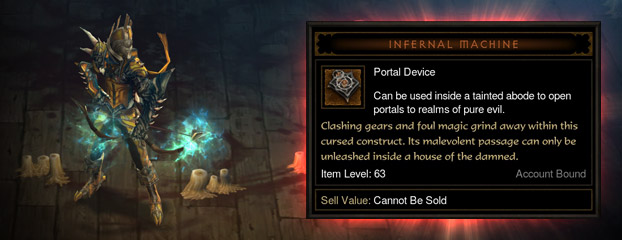
Blizzard just posted their official blog and guide to the Inferno Machine.
Blizzard Quote [source]
Ready for a double dose of diabolical danger? In patch 1.0.5, level 60 players will be able to forge a cursed construct called the Infernal Machine, allowing them to battle "uber" versions of some of the most malevolent mischief-makers this side of New Tristram…in pairs. While the rewards for defeating these extra-bad bosses will be great, some assembly is required.
Read on to find out how to craft the Infernal Machine, where it can be used, and what epic rewards await those brave enough to unlock its secrets.
The Components
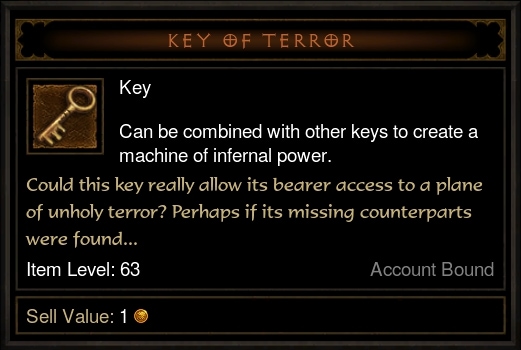
To craft the Infernal Machine, players will first need to collect four components from powerful Keywardens in each Act of Inferno:
- The Key of Destruction will drop from Odeg the Keywarden in Act I - Fields of Misery
- The Key of Hate will drop from Sokahr the Keywarden in Act II - Dahlgur Oasis
- The Key of Terror will drop from Xah'Rith the Keywarden in Act III - Stonefort
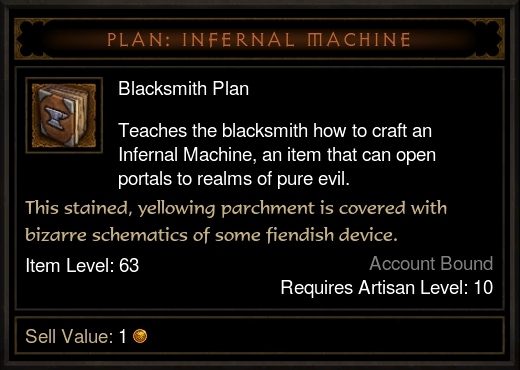
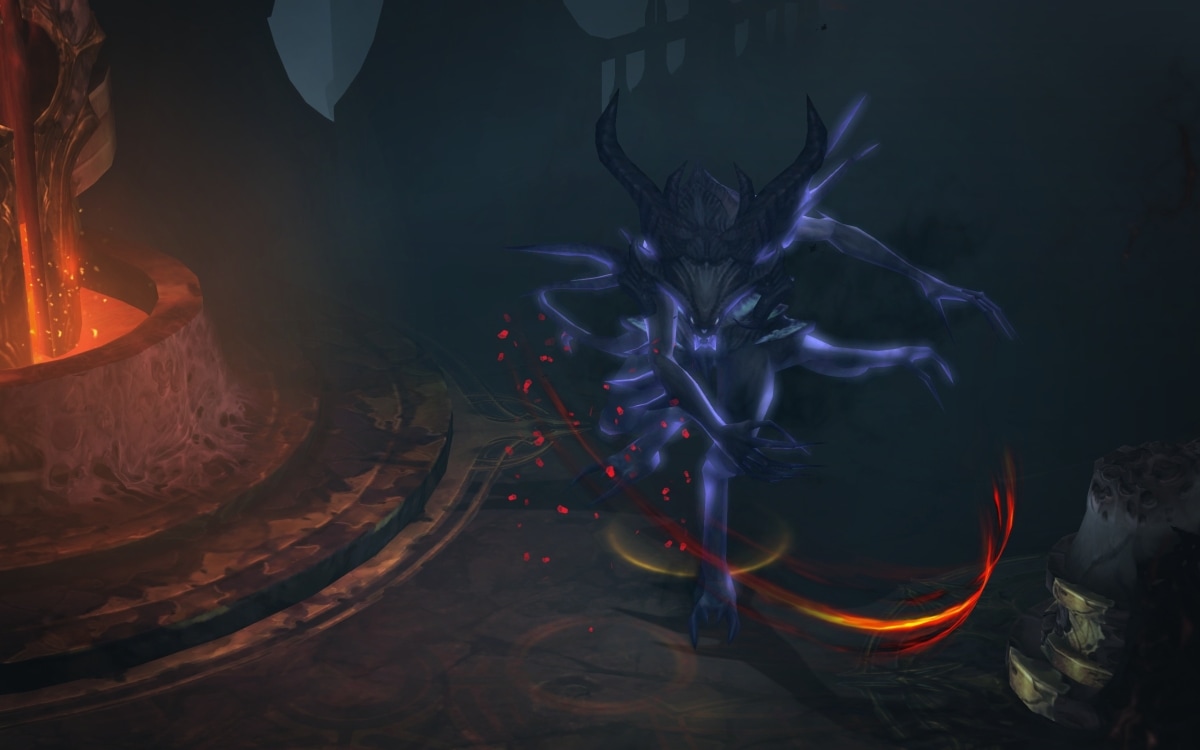
- The Blacksmithing Plans will drop from Nekarat the Keywarden in Act IV - Silver Spire Level 1
(Each component will be considered "Bind on Account," which means they can be used by any character on your Diablo III license.)
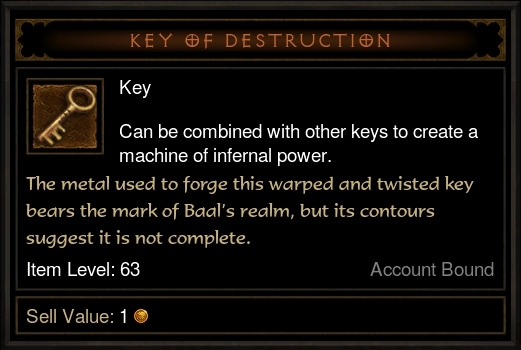
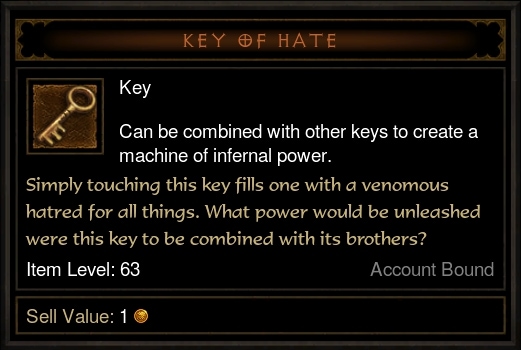
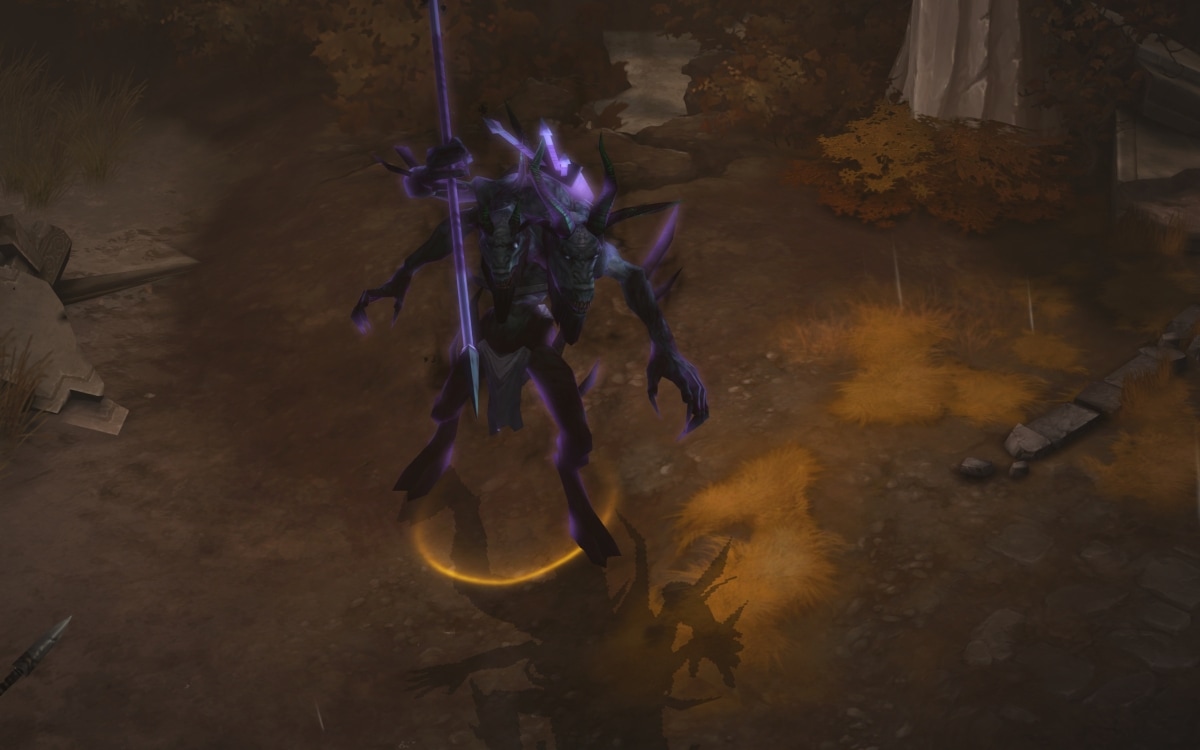
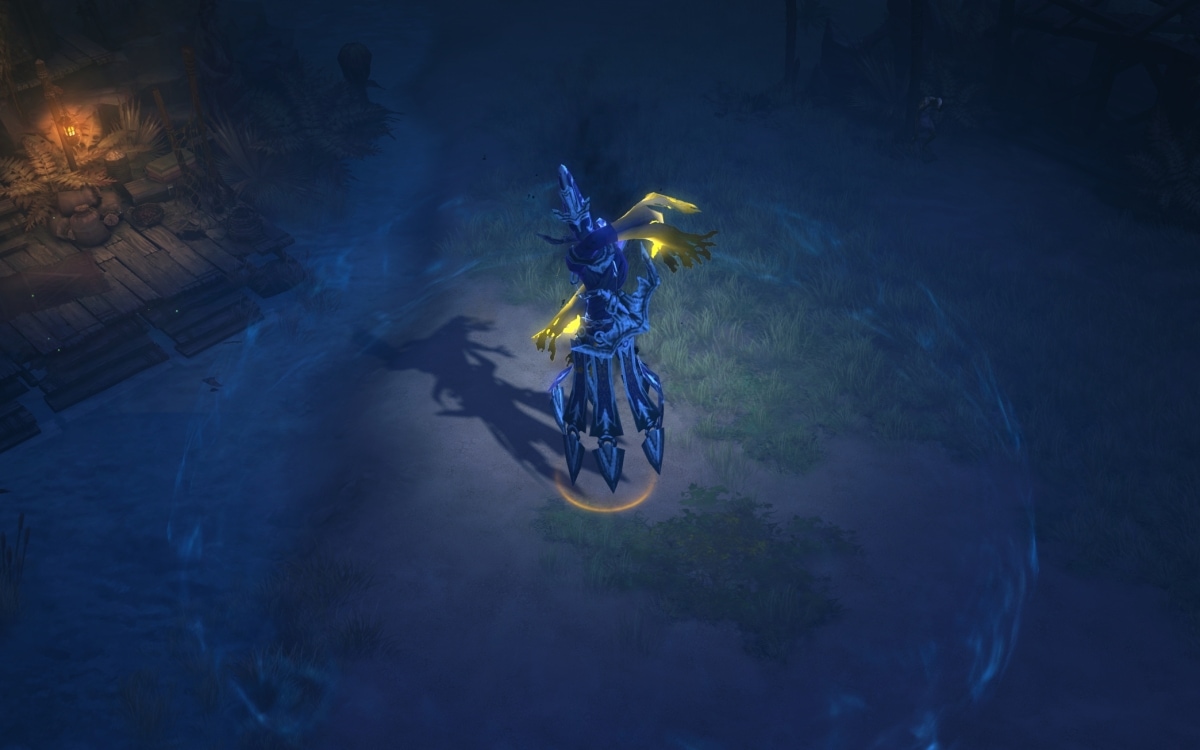
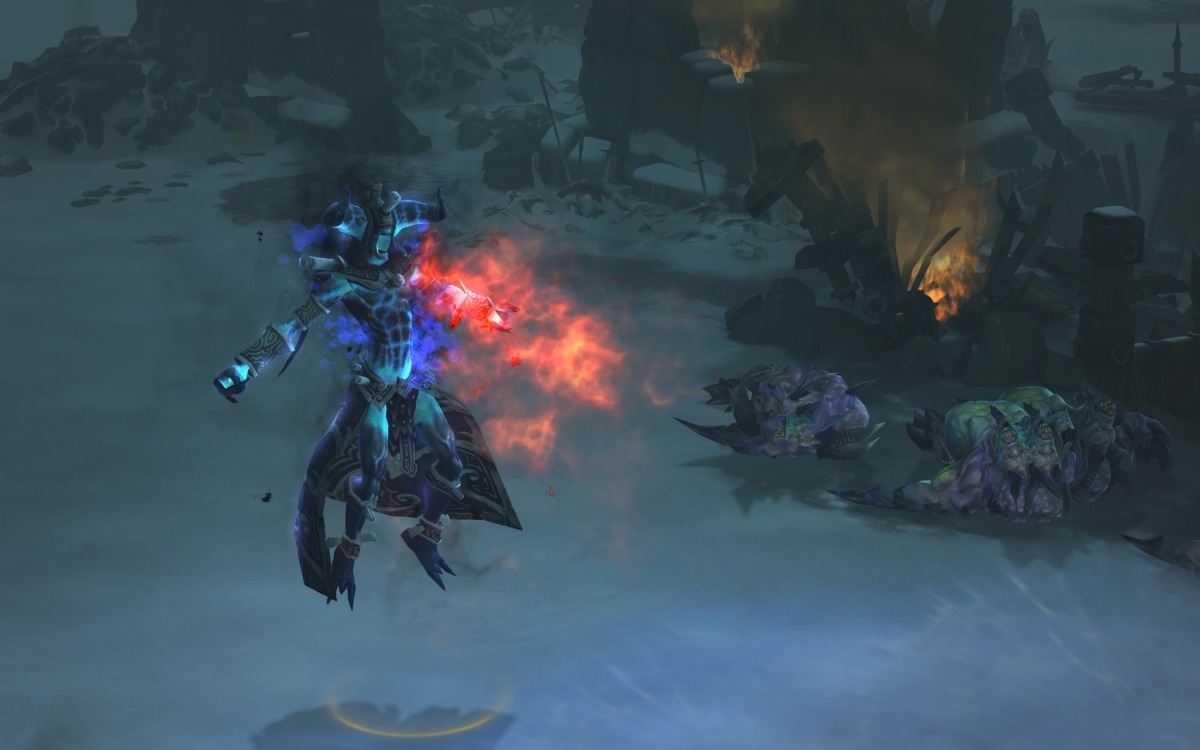
Players will be able to encounter the Keywardens in any difficulty, but only in Inferno and with a full five stacks of Nephalem Valor will they have a chance to drop pieces of the Infernal Machine. While Monster Power is not required, each level will increase the drop rate of both the keys and the plans by 10%, all the way up to a guaranteed 100% drop chance at Monster Power 10.
The Device
After all the components have been collected, they can be assembled in town at the Blacksmith. Your Blacksmith will need to be level 10 in order to learn the Legendary plans, and he'll require 12,000 gold to forge the device in his furnaces.
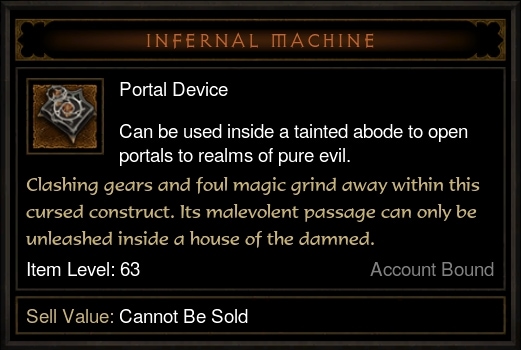
Once crafted, the Infernal Machine will remain in your inventory until activated.
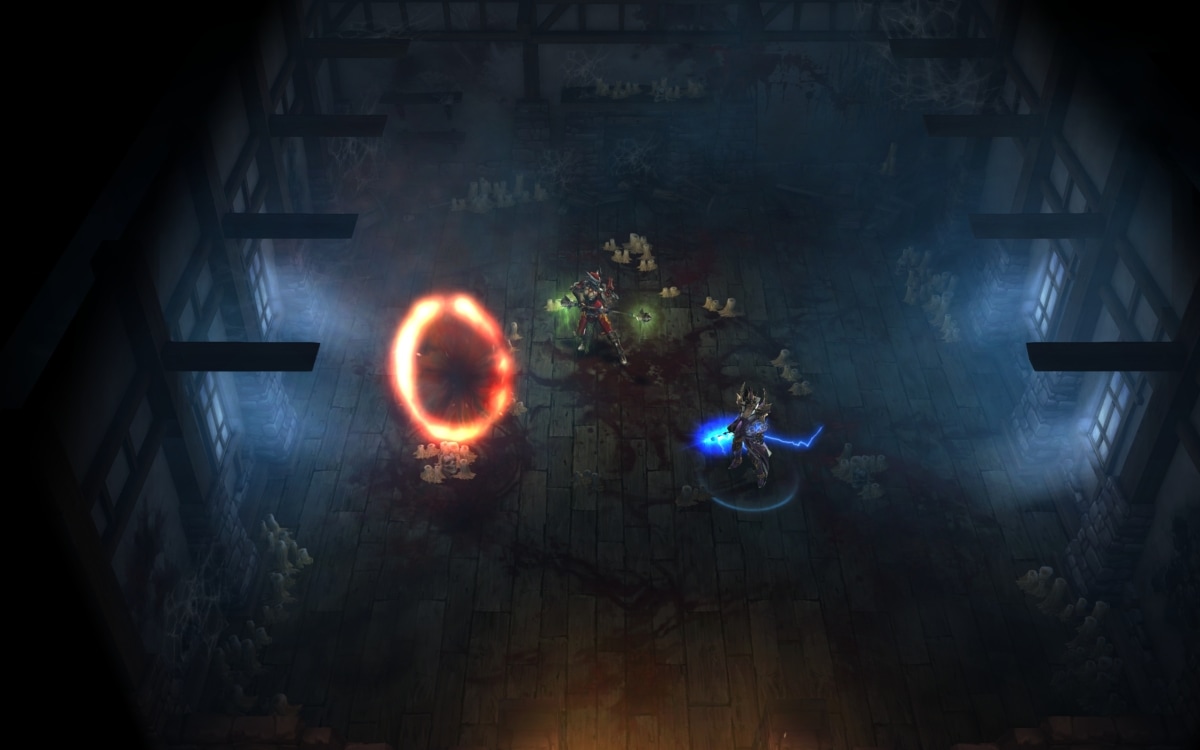
Once assembled, the powers of the Infernal Machine can only be unleashed in one location -- a cellar in New Tristram known simply as the Heretic's Abode. To activate the device, enter the cellar (located just behind Brother Malachi the Healer) and right-click the item in your inventory. This will summon an ominous red portal that will lead you to a demonic realm where you'll be pitted against a pair of Sanctuary's most nefarious villains.
In order to access the Heretic's Abode, players will need to set their quests to "Act I – Return to Tristram."
Activating the Infernal Machine will also destroy it, so to open another portal, you must craft the device anew. This process will include recollecting each of the three wardens' keys as well paying another 12,000 gold to the Blacksmith. (Don't worry about the plans -- once you've trained your Blacksmith, they will remain available in your crafting list for use at any time.)
The Bosses
Those brave enough to step through the Infernal Machine's ominous output will be transported to one of three randomly selected Realms of Pure Evil, where a predetermined pair of bosses awaits:
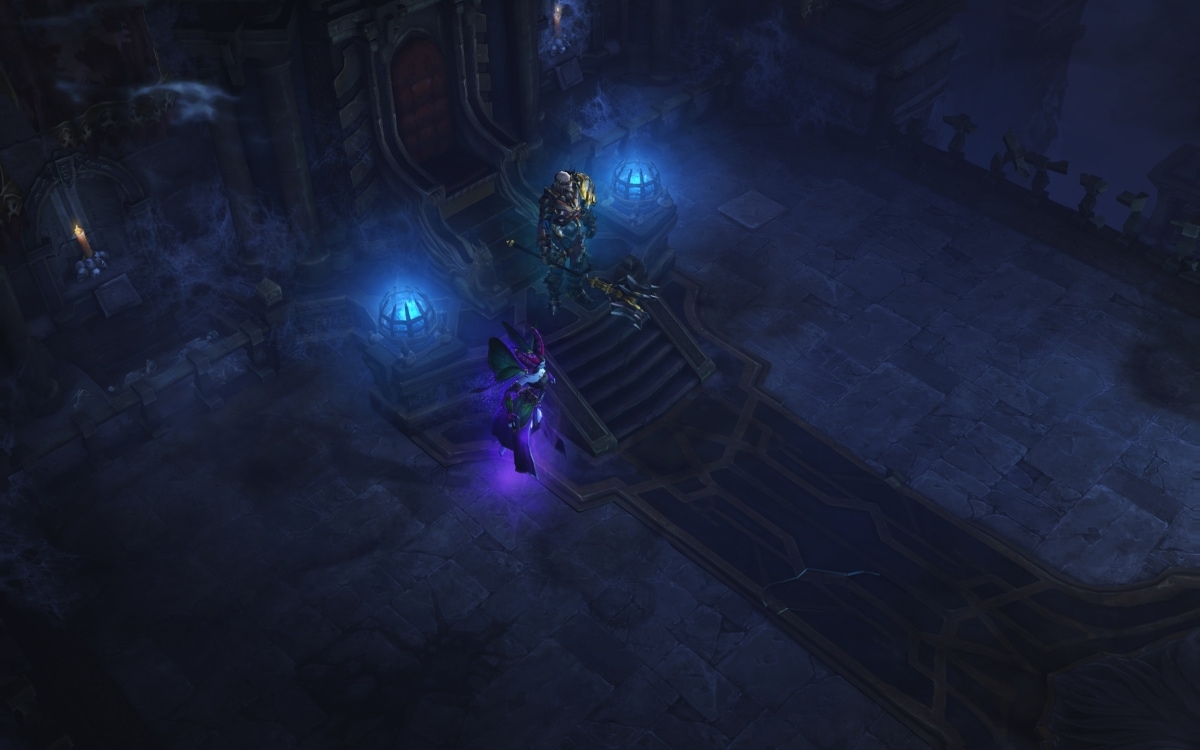
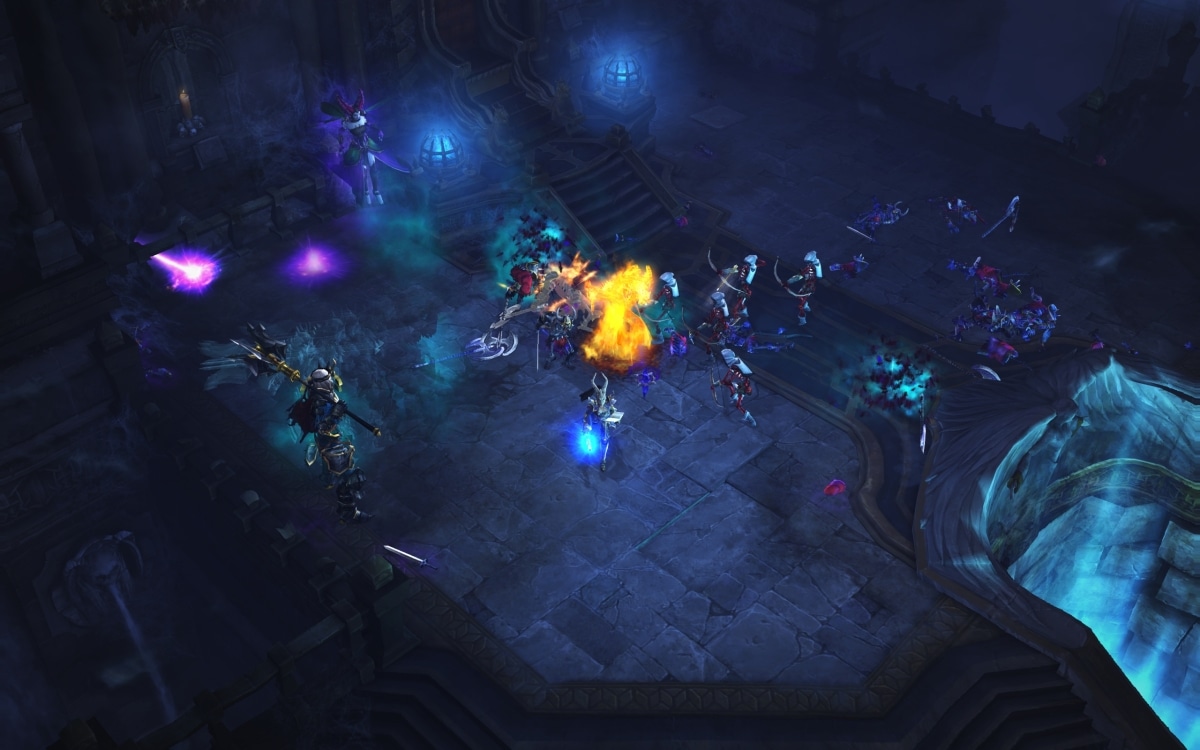
In the Realm of Discord, King Leoric and Maghda guard the Royal Crypts.
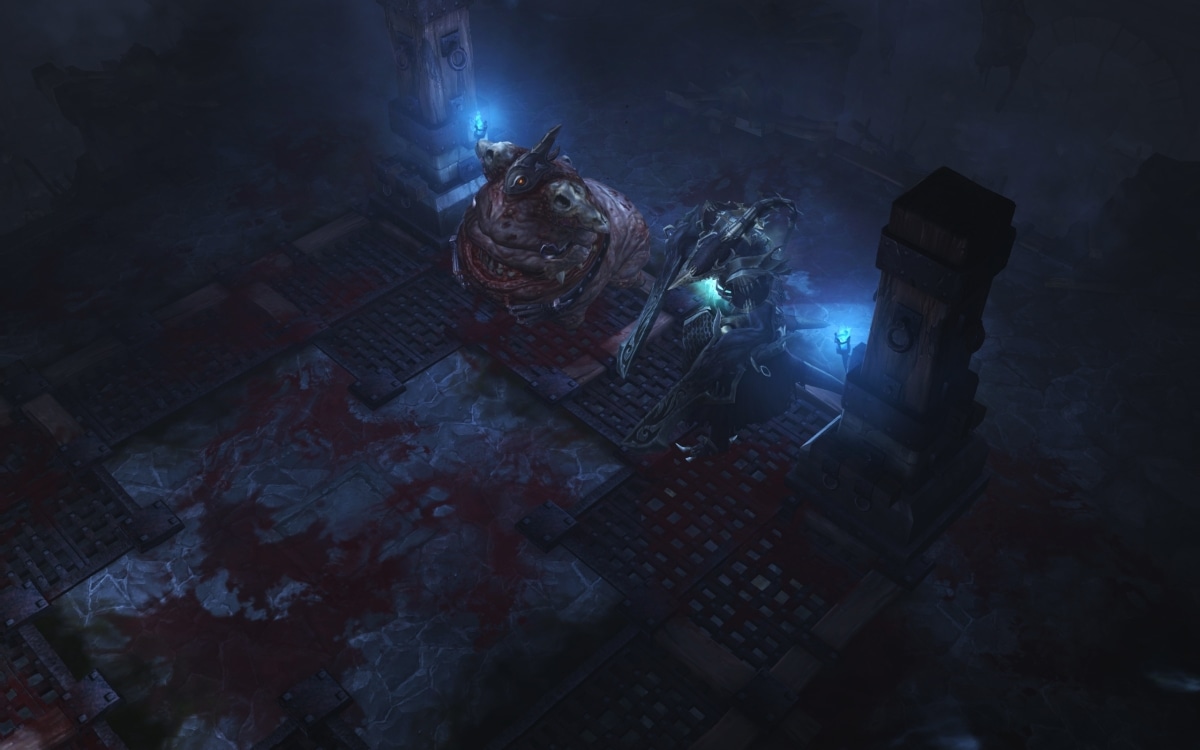
In the Realm of Chaos, Ghom and Rakanoth defend the Larder.
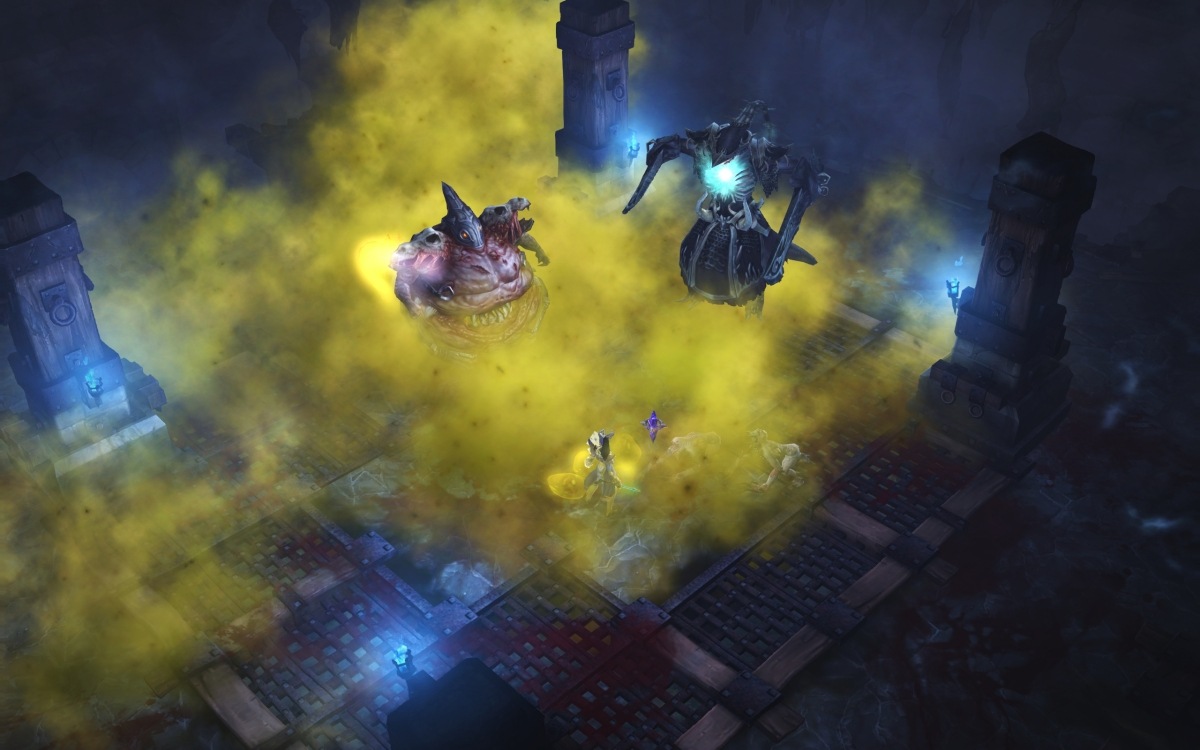
Finally, in the Realm of Turmoil, Siege Breaker and Zoltun Kulle protect the Edge of the Abyss.
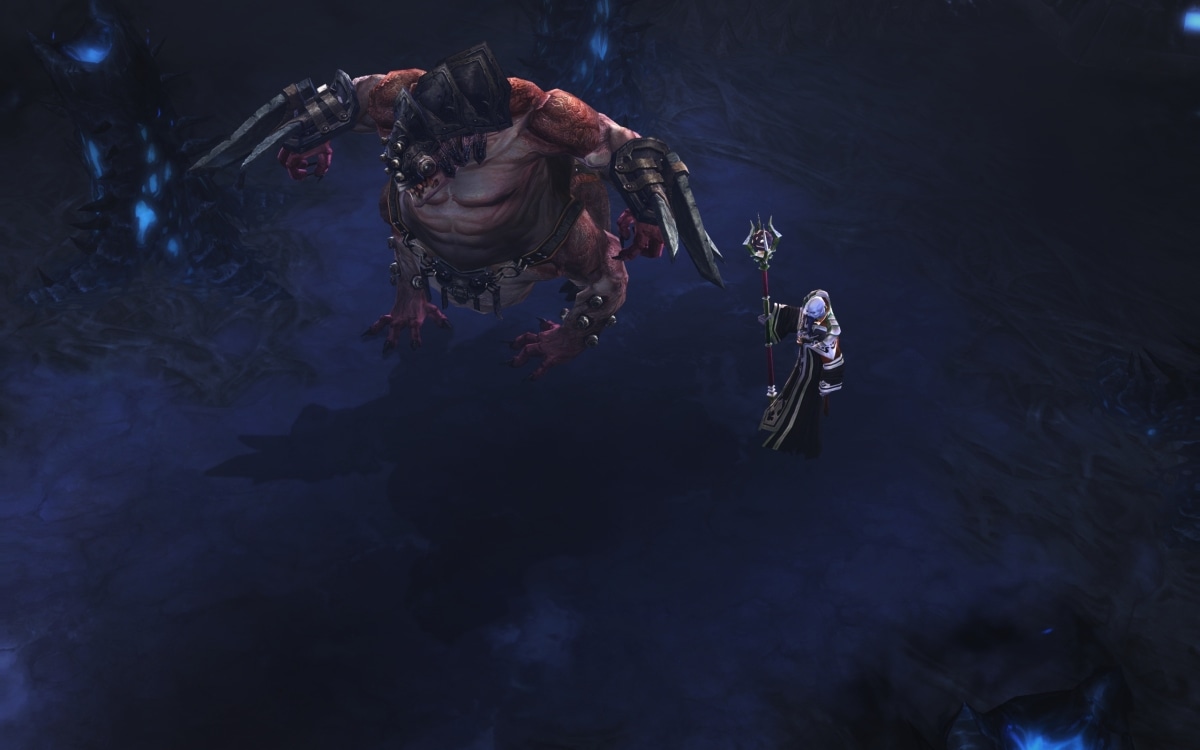
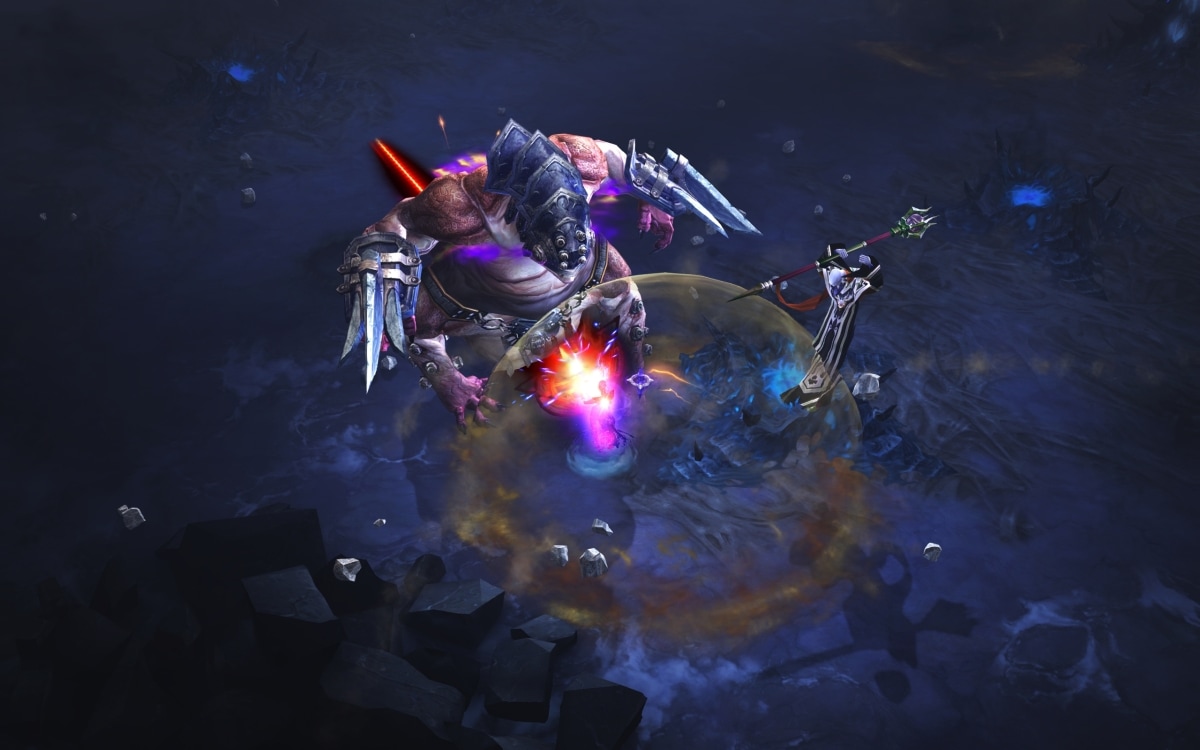
In terms of difficulty, the encounters will be about as challenging as the Diablo fight in Inferno, and each "uber" boss will retain their full arsenal of base spells and abilities. Many of the abilities are more powerful, and certain bosses have even come up with new tricks to test those who dare to enter their domain.
If you happen to fall while battling one these Infernal foes, don't worry -- as long as you don't leave your game session, you can release and restart the encounter at any time by clicking on the very same portal you created. Similarly, even after both bosses have been slain, your portal will remain active in the Heretic's Abode until your game session has ended, which means that if you're out of inventory space, you're welcome to leave and return without losing your loot.
(Please note that you cannot be sent to the same Realm of Pure Evil twice in a single game session. This means that if you create or have access to four or more Infernal Machine devices, in order to use all of them, you'll need to start up a brand new game once you've opened up three portals.)
The Rewards
For successfully defeating a boss pair, players will be rewarded with extra items and gold. In addition, they will also have a chance to harvest demonic organs from each of their fallen foes, which can be used to create a Legendary item of unique power: the Hellfire Ring.
- The Writhing Spine, which drops from King Leoric or Maghda in the Realm of Discord
- The Devil's Fang, which drops from Ghom or Rakanoth in the Realm of Chaos
- The Vengeful Eye, which drops from Siegebreaker or Zoltun Kulle in the Realm of Turmoil
Similar to the wardens' keys, a full five stacks of Nephalem Valor will be required for the organ pieces to drop, and each level of Monster Power will increase their drop rate by 10%.
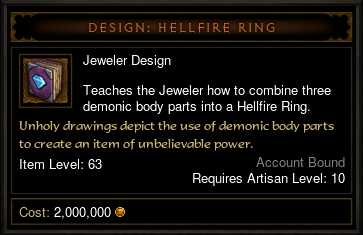
Each time you wish to craft a Hellfire Ring, you will need to present all three organ pieces
as well as 15,000 gold to the Jeweler.
Once all of the organs have been collected, they can be combined at the Jeweler using a new design available for purchase from Squirt the Peddler. This design will teach your level 10 Jeweler four variations of the ring: the Hellfire Ring of Intelligence, the Hellfire Ring of Strength, the Hellfire Ring of Dexterity, and the Hellfire Ring of Vitality. Depending on which variation you choose, your ring will be guaranteed to roll one primary stat with a set value range of 170–200.
In addition to the guaranteed primary stat, each ring will always have the following:
- +35% Experience
- +4 Random Magical Properties
- No Level Requirement
- Bind on Account
- Chance to launch an explosive Hellfire ball when you attack
The Hellfire Ring will be considered Unique-Equipped, which means that players can only wear one at a time. Your followers will be able to equip the ring, however, and given the boost to experience and absence of a level requirement, the rings make excellent heirlooms to be passed down to each of your alts. If you no longer find the need for one of your rings, simply salvage it for materials at your local Blacksmith. So create one or create more -- the choice is up to you!
Looks like the long wait is over and tomorrow we can finally attempt the Infernal Machine.
Blizzard Quote [source]
We will be performing scheduled maintenance for Diablo III starting tomorrow at 1:00 a.m. PDT in order to deploy patch 1.0.5. We anticipate that maintenance will conclude and that all services will be available by approximately 1:00 p.m. PDT.
Important: Please note that you will not be prompted to download patch 1.0.5 until the patch is live in your home region. If you are logging in from a European or Asian client, you will need to wait for this patch to release in that region before it can be installed. Additionally, if your home region is the Americas, you will be unable to log into Europe or Asia using Global Play after patch 1.0.5 is live until those regions have also patched.
For reference, here are the scheduled maintenance times for each region:
The Americas: 3:00 a.m. PDT (10/16) to 1:00 p.m. PDT (10/16)Europe: 6:00 p.m. PDT (10/16) to 4:00 a.m. PDT (10/17)
Asia: 11:00 a.m. PDT (10/17) to 9:00 p.m. PDT (10/17)
Please note that these times are subject to change. For time zone assistance, please visit:
http://everytimezone.comThe public test realm is going down tonight.
Blizzard Quote [source]
We will be shutting down the patch 1.0.5 PTR this evening (10/15) at approximately 11:00 p.m. PDT. At that time, you will no longer be able to log in to the PTR client, and both PTR Feedback and PTR Bug Report forums will be marked read-only.
Please note that any progress you made on the PTR will not transfer over to your Diablo III account.
Thank you to everyone who helped us test this patch. We look forward to releasing patch 1.0.5 to the public tomorrow morning!
Blizzard Quote [source]
The armies of the Burning Hells are about to become a lot more hellacious. In patch 1.0.5, we'll be introducing Monster Power, a new system designed to give players more control over how challenging enemies are in each difficulty setting. Similar to the "Players X" command in Diablo II, Monster Power gives Diablo III players the option to increase the health and damage of monsters according to different "power levels" -- and in return, they'll receive scaling bonuses to their adventure stats (including experience, Magic Find, and Gold Find) as well as more drops.
The option to adjust Monster Power will be available to all players starting at level 1 through the Quest Selection window, and can be adjusted separately for Normal, Nightmare, Hell, and Inferno difficulties. Here's how the system works....
Setting Your Monster Power Level
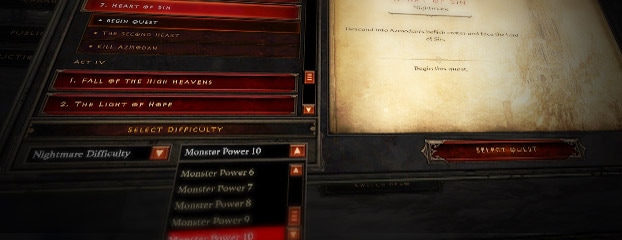
Monster Power will be disabled by default, so before you can make any adjustments, you'll first need to enable the system. To do so, open up the Game Menu, click the Options button, and then click the Gameplay tab. You'll see the Enable Monster Power Selection box on the right side of the screen -- check that, and then click Accept.
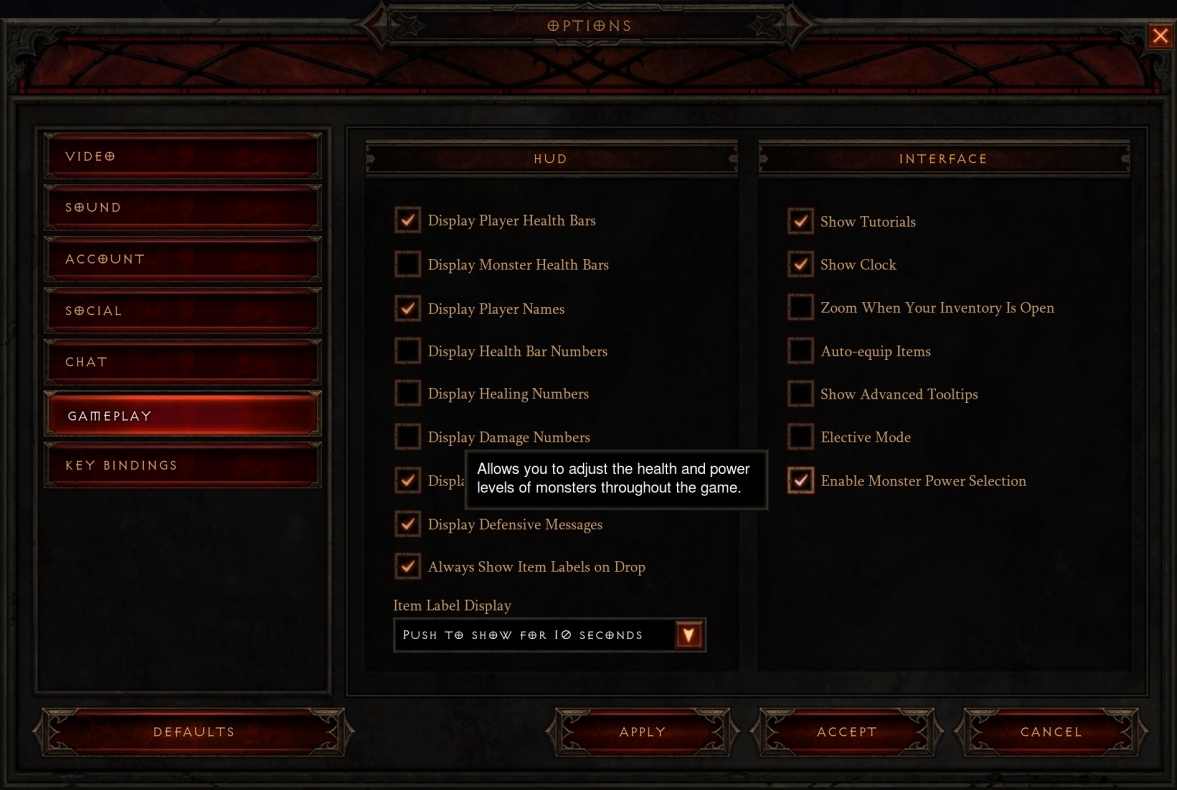
Once enabled, the option to set Monster Power will appear in the lower portion of the Quest Selection window next to the Difficulty drop-down menu. You can choose from Monster Power 1 (MP1) all the way up to Monster Power 10 (MP10), or you can opt for No Monster Power (the default setting) to play the "normal" challenge level for your chosen difficulty. Monster Power can be adjusted separately for each hero and difficulty, and can be changed at any time through the Quest Selection interface.
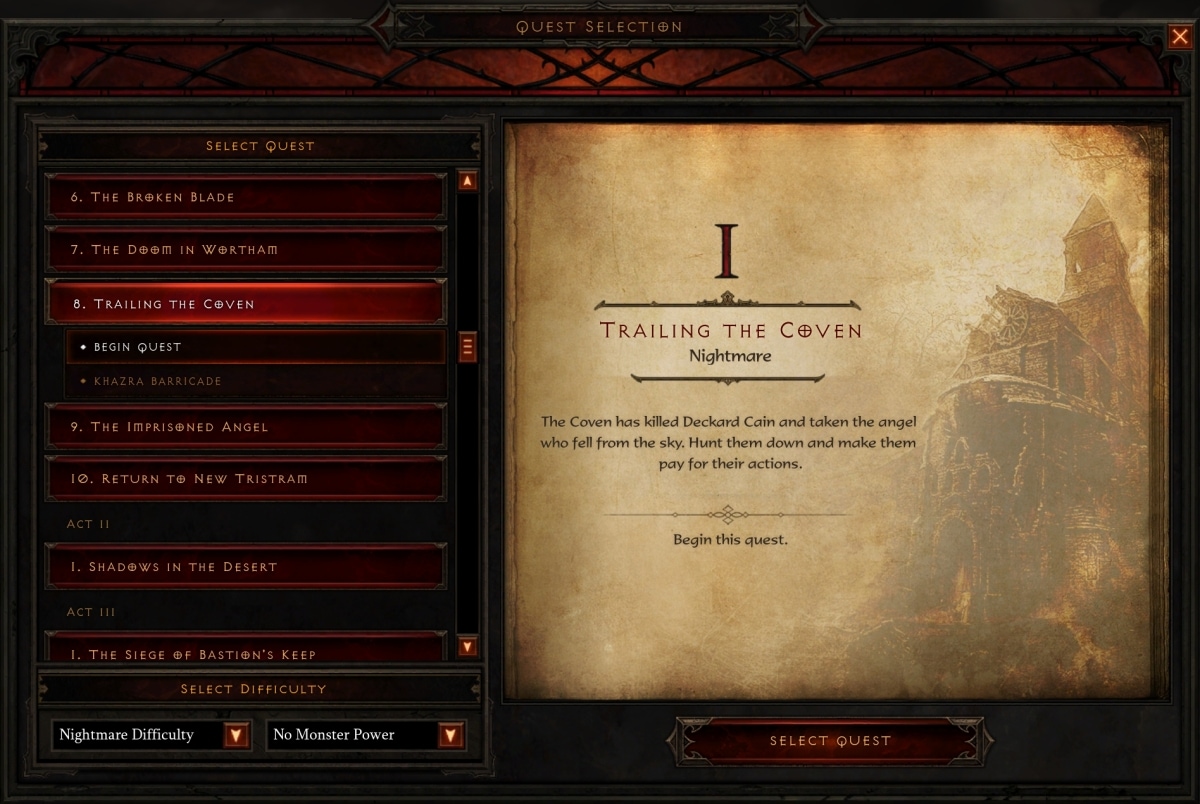
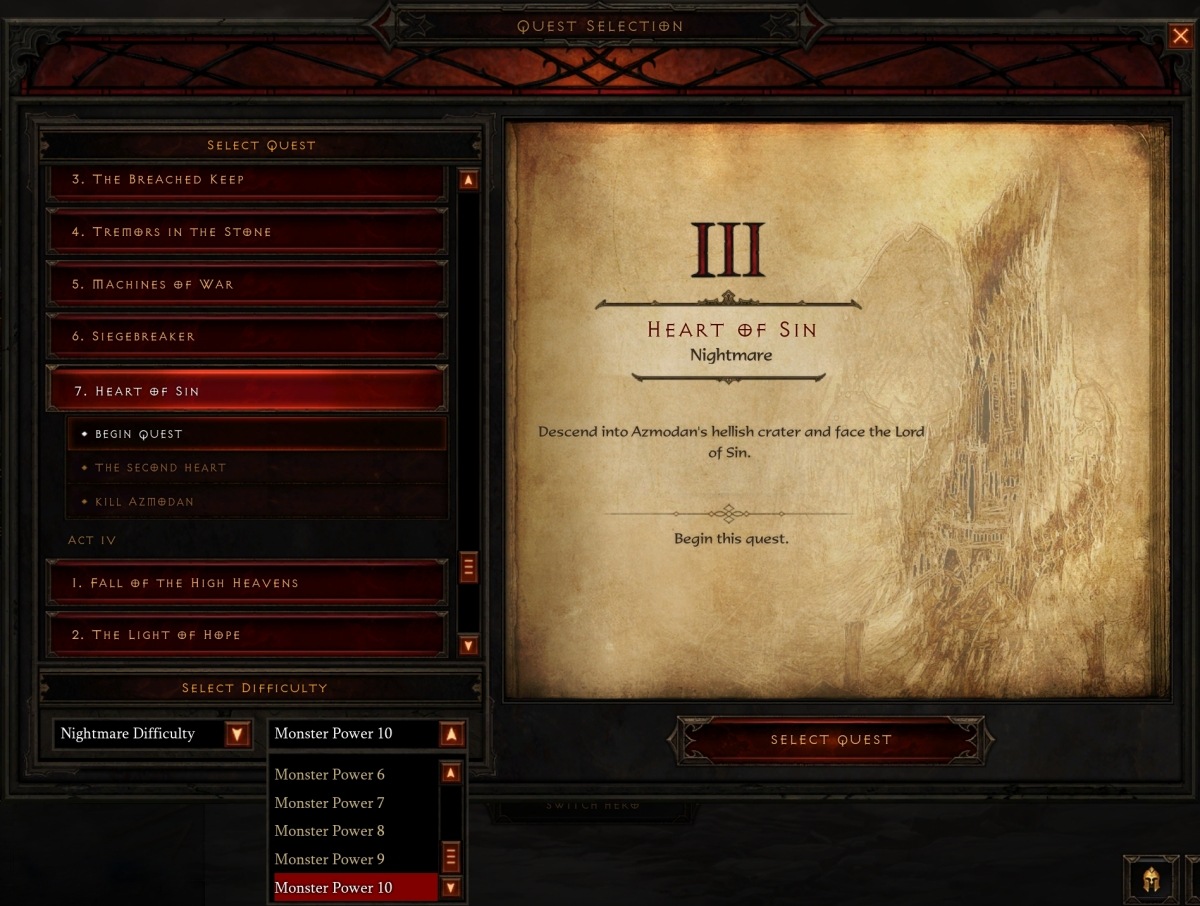
At the launch of patch 1.0.5, Monster Power will be available in both solo and private multiplayer games. Whenever you join a private multiplayer game, your hero will temporarily adopt the Monster Power level set by the party leader, and it will return to the previous setting you selected as soon as you leave the group.
(Please note that you will not be able to adjust Monster Power in Public Games at the feature's launch, though we're looking into the possibility of adding that ability in the future.)
More Guts, More Glory
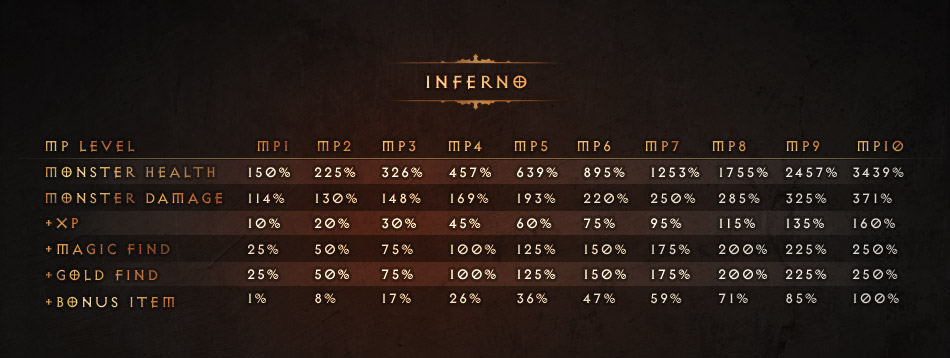
Starting at MP1, each level of Monster Power will increase monster damage and health by a scaling amount depending on difficulty. To reward your audacity, your hero will receive bonuses to experience, Magic Find, and Gold Find (which will stack above the 300% cap).
For Normal, Nightmare, and Hell, the bonuses look like this:
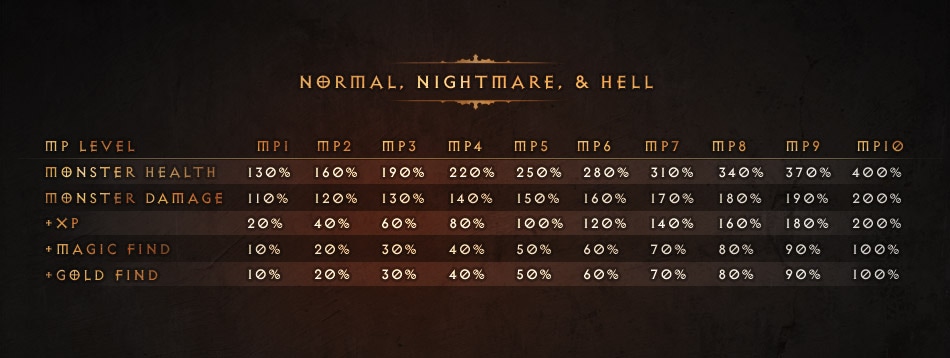
In Inferno, in addition to increased experience, Magic Find, and Gold Find, whenever a monster dies and drops an item normally (whether it be gold, a potion, or a piece of gear), the monster also has a chance to drop an additional bonus item. The chance to drop a bonus item will scale up with each MP level as detailed in the table below.
In Inferno at Monster Power 1 or greater, monsters in every Act will also be bumped up to level 63 and share the same high-end item drop rates. This means that no matter which act you're progressing through, the monsters in that act will all have the same shot at dropping items level 61-63, including crafting recipes, Legendary items, and set items.
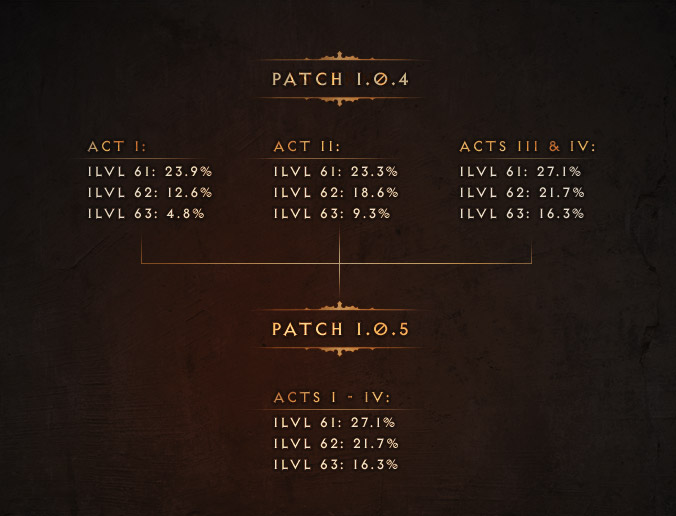
While monsters in Inferno will all be level 63 at MP 1 through MP 10, their skills, abilities, and attributes will still vary from act to act. This means that certain Acts or Chapters may still be more difficult for you than others based on what monsters and Elite packs appear in each, but -- since the rewards will be identical across the entire difficulty -- where you choose to play is ultimately up to you and your personal play style.
The Method Behind the Monsters
Now that we've explained the mechanics, let's delve a bit deeper into the design philosophy. The intent of Monster Power is not necessarily to make the game "unbeatable," but to provide better ways for players to measure their progress as they become more powerful. We've designed the system around this idea, with two primary areas of focus:
 Monster Damage vs. Monster Health
Since the goal of this system isn’t to make the game ultra-hard, with each Monster Power level there's a heavy emphasis on increased monster health rather than monster damage. This is because, in general, it's more fun to find ways to maximize your damage than it is to be forced into taking every available form of damage mitigation. We also didn't want to create situations where "hard to beat" could become "impossible to beat" because players couldn't survive long enough to make any progress. In our testing, we found that while scaling up monster damage certainly made some fights more challenging, it did so in unfair ways…and also made it quite easy for heroes to be one-shot. Increasing the health of monsters, on the other hand, allowed the game to scale up in difficulty more naturally and in a way that still felt manageable.
Efficiency
By now, some players have reached a point where they can kill monsters so fast that even Inferno provides almost no challenge, and enemies die as soon as they appear on the screen. For these players, the bottleneck for efficient farming is actually the speed at which they can traverse the map rather than how well they can dispense with enemies.
This is where Monster Power can shine. Players who can clear every Act of Inferno without much problem can increase their Monster Power for a more enjoyable and interesting challenge -- as well as better rewards -- and keep pushing their limits all the way up to Monster Power 10. Will some players be able to kill Diablo on Monster Power 10 as soon as 1.0.5 goes live? Absolutely. Will that be the most efficient Monster Power level at which to farm items? For most, probably not. Monster Power allows each individual decide what that "sweet spot" is for them.
The Power Is Yours
In Diablo III, your character's power can grow by multiple orders of magnitude, but up until now there hasn't been a way for you to truly put that potency to the test. The Monster Power system provides a new outlet for high-powered heroes to truly see how far they've come and tangibly experience just how epic the gear they've collected is.
Different players want different levels of challenge, and with Monster Power you'll be able to determine what the right level of challenge is for you. Whether you're in it for the guts, the glory, or simply the goodies, we're excited to offer players the opportunity to face the forces of evil on their own (possibly slightly insane) terms.